Industries
Automated hotel check-in: what actually breaks
How self and contactless check-in works at small properties, what it costs, and the failure modes to plan for before you buy the hardware.
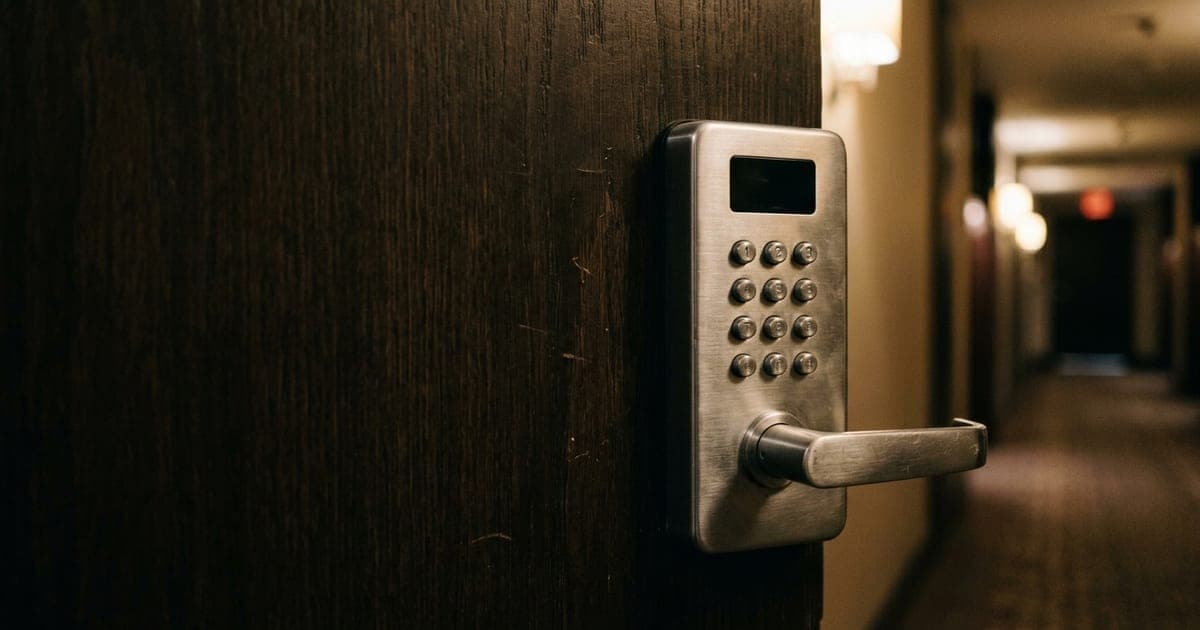
Automated check-in works well for the guests who arrive without problems, which is most of them. Its success depends almost entirely on how you handle the minority who arrive with one — a code that fails, a room that is wrong, a booking that did not sync. Buy the hardware second and design the exception path first.
Self check-in is the most visible automation available to a small hotel, and the most tempting: it appears to remove the need for someone at the desk at exactly the hours that staffing is hardest to justify.
It genuinely can. But the failure mode is unusually punishing, because it happens to a tired person standing outside a locked building at night, and they will describe it in detail on your listing.
The three arrangements
A link before arrival. The guest completes registration and payment on their phone the day before and receives a door code or mobile key. Cheapest to run, no lobby hardware, and it is what most small properties end up using.
A kiosk in the lobby. A screen that verifies the booking, takes payment and dispenses a key card. More expensive, needs space and maintenance, but handles walk-ins and guests without smartphones, and satisfies identity-check requirements more easily in jurisdictions that have them.
A key safe or lockbox. The low-tech option. Cheap and reliable, but it does not verify who collects the key, which can be a licensing problem as well as a security one.
Most independents run the first, with a documented fallback for when it fails.
What it is actually replacing
Be precise here, because it changes the maths. Automated check-in replaces the transaction: taking details, taking payment, handing over a key.
It does not replace presence — someone in the building who can fix things. If your overnight staffing exists partly for security, safety cover, or because guests occasionally need a human, automation does not remove that requirement, and pretending otherwise is where properties get into trouble.
The honest comparison is: what do you currently pay someone to do overnight, and how much of that is the transaction versus everything else?
The failure modes, in the order they will happen
The code does not arrive. Email in spam, wrong mobile number, message sent to the booker rather than the guest. Common and easily fixed if someone answers the phone.
The code does not work. Lock battery, clock drift, a booking extended without the code being reissued. The guest is outside; the clock is running on their patience.
The room is not what was booked. OTA mismatch, a room not turned over, a double-booking. Nothing automated resolves this — it needs a person with authority.
The guest cannot or will not use it. Older guests, guests without a smartphone, guests who booked expecting a person. This is a smaller group than vendors imply and a larger one than optimists assume.
Design the exception path before you buy the hardware. Specifically: who answers the phone at 1am, how fast, and what can they actually do? If the answer is "it goes to voicemail and we call back in the morning", automated check-in will cost you more in reviews than it saves in wages.
The legal part vendors skip
Requirements differ by country and sometimes by city: identity verification at check-in, a guest register retained for a period, staff on site for fire safety above a certain size, rules about who may hold a key.
None of this is exotic, and all of it is easier to check before you have bought locks for thirty doors. Ask your licensing authority directly rather than relying on what a vendor's sales page implies about "hotels like yours".
Why the phone gets more important, not less
This is the part that surprises people. Automating check-in does not reduce calls — it changes them.
You lose the routine arrival conversations. You gain a smaller number of calls that are, on average, far more urgent: someone locked out, someone who cannot find the building, someone whose code failed. The volume drops and the stakes rise.
Which means the line answering those calls stops being a convenience and becomes the recovery mechanism for the entire arrangement. A property with excellent self check-in and an unanswered phone has automated the easy half and left the hard half to voicemail.
- 1
Fix the phone first
Make sure every call is answered before you automate anything. It is the cheapest step and it is the safety net the rest depends on.
- 2
Send the arrival details properly
Directions, door, code, and what to do if it does not work — the day before, not at booking. Most code failures are really message failures. See guest communication.
- 3
Write the exception runbook
One page: code not received, code not working, wrong room, guest needs a person. Who to call, what they can do, how fast. Give it to whoever covers nights.
- 4
Then buy the hardware
Locks and kiosks last, once the process around them is real. Start with a handful of rooms rather than the whole property.
Where to start
If you are automating check-in to reduce overnight cost, work out first how much of that cost is the transaction. If most of it is presence — safety, security, being findable — automation will not release it, and a hybrid where nights are covered by a phone service rather than a person on site may get you closer.
Dial Milo is the phone half of that arrangement: it answers every call from your own information, routes guest requests, and puts anything needing a person straight through — which, for a property running self check-in, is exactly the escalation path the whole system rests on. The broader options are in virtual front desk.
For your business
One person on nights. Forty rooms. The phone doesn't care.
Milo picks up while your night manager is walking a guest to their room. She answers the practical questions from your own house information, passes guest requests to the right department, and puts anything involving money or a booking change straight through to the desk.
Get Milo answering your property lineFrequently asked questions
- What does automated hotel check-in cost?
- It is three purchases, not one: door hardware (smart locks or a key dispenser), the check-in software, and whatever handles the exceptions. Locks are usually the largest line and are priced per door, so cost scales with room count. Price it against overnight staffing, which is the thing it replaces.
- Do guests actually like self check-in?
- Most do, particularly late arrivals and business travellers who want their room without a conversation. The exceptions are first-time guests at an unfamiliar property and anyone arriving with a problem. Both groups reach for the phone, which is why the line matters more after automating, not less.
- What happens when a door code doesn't work?
- This is the scenario to design for first, because it will happen. A guest outside a locked door at 1am needs someone who answers immediately and can either issue a new code or physically let them in. If your plan is voicemail and a callback, you do not have a plan.
- Is contactless check-in allowed everywhere?
- No. Some jurisdictions require identity verification at arrival, a guest register, or staff on site depending on property size. Check your local licensing rules before buying hardware — this varies more than vendors suggest, and it is your licence at risk.
Keep reading
Industries
Virtual front desk: what it actually covers
What a virtual front desk replaces at a small property, the jobs that still need a person on site, and how to tell whether it fits yours.
ReadIndustries
Hotel guest communication: what to send and when
A practical guide to guest messaging for small hotels: what to send before arrival, during the stay and after — and why most properties send too much.
ReadIndustries
Small hotel phone systems: what you actually need
A practical guide to hotel phone systems for small properties: PBX vs cloud, what PMS integration is worth, and how to cover the front desk after hours.
Read