Industries
Virtual front desk: what it actually covers
What a virtual front desk replaces at a small property, the jobs that still need a person on site, and how to tell whether it fits yours.
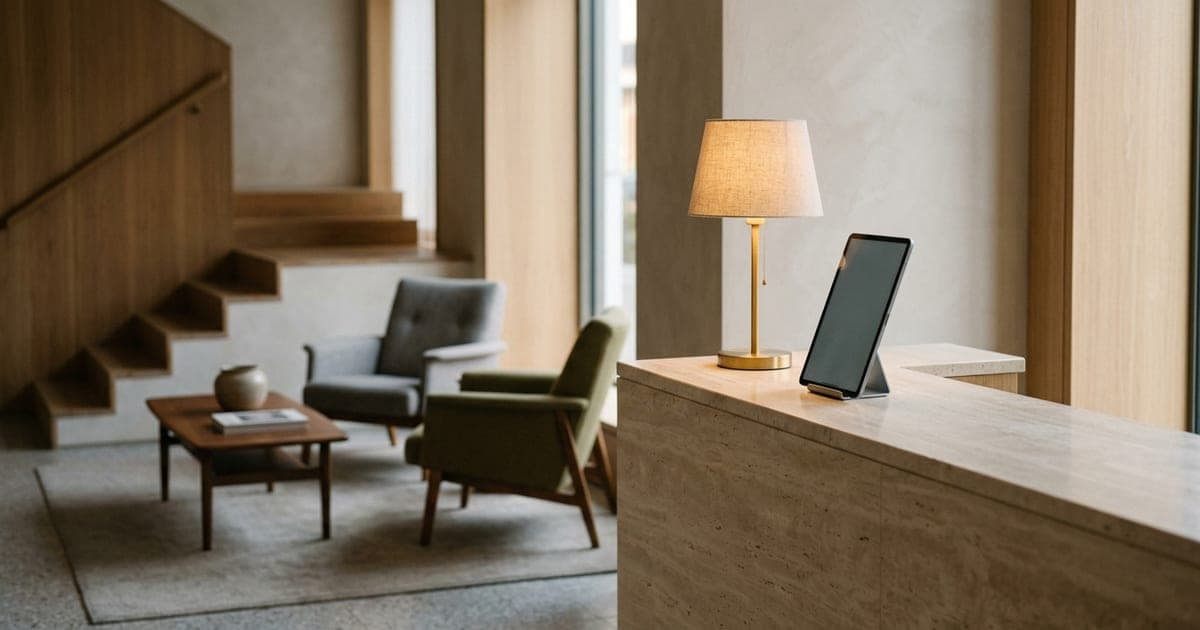
A virtual front desk covers the information and administration a reception desk handles — calls, questions, check-in paperwork, guest requests — without someone standing at the counter. It does not cover the physical and emotional parts of the job: keys that fail, guests who are upset, and anything requiring a person in the building.
"Virtual front desk" is sold as a single product. It is not. It is three separate jobs that used to be done by one person standing in one place, and understanding which of them you are actually replacing is most of the decision.
The three jobs a front desk does
Information. Answering the phone and the door: check-in times, parking, wifi, breakfast, directions, whether the room is ready. Overwhelmingly the largest share of the work by volume.
Administration. Check-in and check-out, registration details, payment, key issue, folio queries, booking changes.
Presence. Being a person in the building. Reassuring a guest whose room is not right, dealing with a failed lock at 1am, noticing that someone in the lobby should not be there, being findable when something goes wrong.
Almost everything sold as a virtual front desk covers the first job well, the second job partially, and the third not at all. That is not a criticism — it is a specification, and it is a good one if the third job is genuinely rare at your property.
What works well remotely
The phone, without question. This is the highest-volume, lowest-judgement part of the role, and it is where the desk fails most visibly today because it is competing with the person standing in front of you. Something answering every call — an AI receptionist or a human service — is usually the single biggest improvement available to a small property.
Check-in paperwork. A link sent before arrival that collects registration details and takes payment removes most of the desk transaction. Guests generally prefer it; it is what they already do for flights.
Guest requests. Towels, maintenance, late checkout. These need routing, not judgement, and routing is exactly what software is good at.
What does not work remotely
Keys and doors. Smart locks and codes work until they do not, and when they fail it is at midnight with a tired guest outside. You need a plan that does not begin with "the guest calls a number and waits."
Anything upset. A guest whose room is dirty, whose booking is wrong, or who has been travelling for eleven hours wants a person. Handling that badly generates the reviews that cost you bookings for the next year.
Security and safety. Knowing who is in the building matters, and in some jurisdictions is a legal requirement rather than a preference.
Check your local rules before designing the process. Requirements for identity verification at check-in, guest registers, and on-site staffing for fire safety vary significantly by country and sometimes by city. Vendors selling virtual front desk systems rarely raise this, because it is your licence rather than theirs.
The hybrid most small properties actually land on
Very few independents go fully virtual. The arrangement that tends to stick is:
- Staffed during arrival peak, when guests are physically present and something usually needs a person.
- Virtual overnight, when the volume is low, unpredictable, and mostly phone calls that currently go to voicemail.
- On-call for the exceptions, with a genuine escalation path — a named person who answers, not a queue.
This is less exciting than "replace your front desk", and it is what works. The overnight window is where staffing economics are worst and where virtual cover is strongest, so start there.
How to decide
- 1
Count what the desk actually does overnight
For two weeks, log every overnight interaction: calls, requests, arrivals, problems. Most properties find the volume is far lower than it feels, and almost entirely phone and information.
- 2
Separate the physical from the informational
Of those interactions, how many needed a person in the building? If the answer is close to zero, virtual overnight cover is straightforward. If it is one or two a week, you need a real escalation plan, not just software.
- 3
Check the legal position for your property
Identity checks, registers, fire-safety staffing. Do this before you buy anything; it can rule out a fully unstaffed model entirely.
- 4
Start with the phone
It is the cheapest piece, the highest volume, and the easiest to reverse if it does not suit you. Check-in automation and smart locks are bigger commitments — do them second, once the phone is handled.
Where this leaves the phone
Whatever else you automate, the phone is the part guests use when something has gone wrong with everything else. A virtual check-in flow that works perfectly still produces calls: the code did not arrive, the door will not open, the room is not what was booked.
That makes the line answering those calls the backstop for the whole arrangement, which is an argument for getting it right first rather than last. We covered the options in hotel answering services, and the wider system context in hotel phone systems.
Dial Milo covers the informational part: it answers every call from your own house information, routes guest requests to the right team, and passes anything needing a person straight through — which, in a virtual front desk setup, is precisely the escalation path you need to have thought about.
For your business
One person on nights. Forty rooms. The phone doesn't care.
Milo picks up while your night manager is walking a guest to their room. She answers the practical questions from your own house information, passes guest requests to the right department, and puts anything involving money or a booking change straight through to the desk.
Get Milo answering your property lineFrequently asked questions
- What is a virtual front desk?
- An arrangement where the jobs a reception desk does — answering calls, checking guests in, handling requests — are covered remotely or by software rather than by someone standing at the desk. In practice most properties run a hybrid: staffed at peak, virtual overnight.
- Can a virtual front desk check guests in?
- It can handle the paperwork and payment side through a kiosk or a link sent to the guest's phone. What it cannot do is hand over a physical key, deal with a broken lock at midnight, or read a guest who is clearly upset. Plan for those separately or you will be answering the phone yourself.
- Is a virtual front desk legal for hotels?
- It depends on where you operate. Some jurisdictions require identity checks at check-in, registration records, or staff on site for fire safety at certain property sizes. Check your local licensing rules before you design the process — this varies far more than vendors imply.
- How much does a virtual front desk cost?
- It is usually assembled from parts rather than bought as one product: smart locks or a kiosk, a check-in flow, and something answering the phone. Price each separately against what you would otherwise pay in overnight staffing, which is the real comparison.
Keep reading
Industries
Small hotel phone systems: what you actually need
A practical guide to hotel phone systems for small properties: PBX vs cloud, what PMS integration is worth, and how to cover the front desk after hours.
ReadIndustries
AI receptionist for hotels: what it can't do
Where an AI receptionist genuinely helps a small hotel, the calls it should never handle alone, and what to check before trusting it with guests.
ReadIndustries
Hotel answering service: cost, AI vs human, what to test
How hotel answering services work, where human agents and AI each win, and the failure modes to test for before you sign anything.
Read