Integrations
Notion knowledge base for an AI phone agent
Use a Notion knowledge base for an AI phone agent: how the connection really works, how to structure databases so callers get right answers, and the limits.
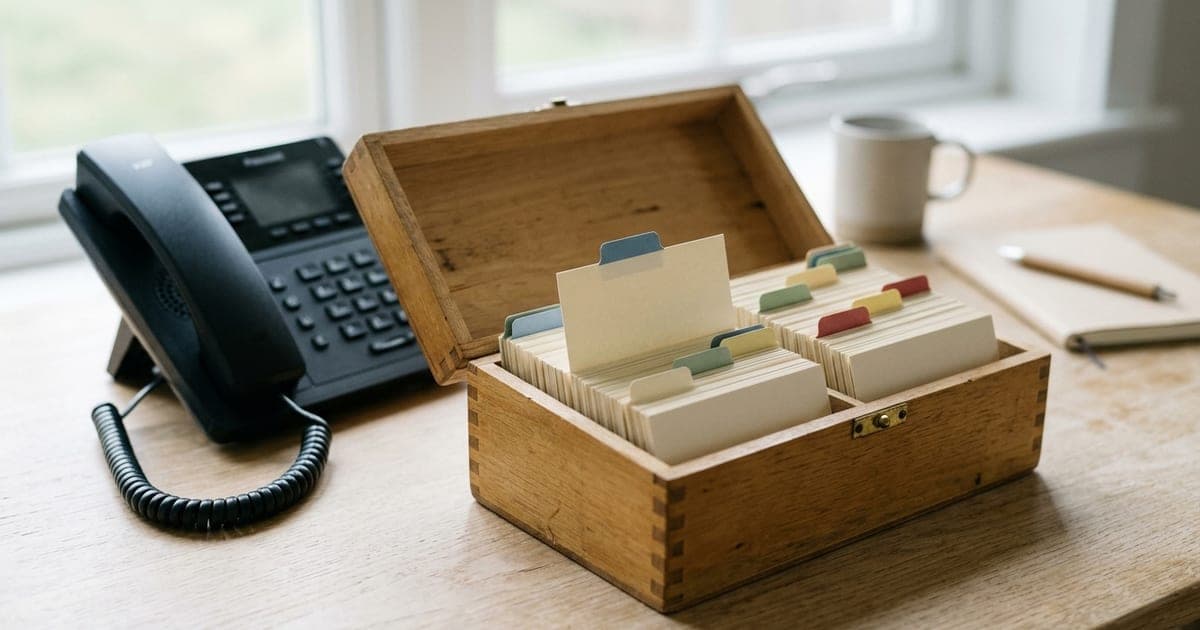
A Notion knowledge base works well for an AI phone agent when it is built as databases, not as long pages: one row per question or item, with the answer in a short text property and a tags column that matches the words callers use. In Dial Milo you connect your workspace through Notion's own consent screen, pick the databases to share, give each a label and a one-line description, and Milo looks up matching rows during the call. Edits reach the phone within about a minute. Page body text isn't read, writes are off unless you turn them on, and as of November 2026 lookups run on inbound calls, not outbound campaigns.
A lot of small teams already keep the truth in Notion. Opening hours per location, the price list, the FAQ the front desk keeps answering, which technician covers which postcode. When they add an AI phone agent, the obvious question is whether it can answer from the same place, so nobody maintains a second copy that drifts.
It can, but the way you structure Notion decides whether the answers are right. Most of the vendor pages on this topic say "connect Notion and your agent knows everything", and stop there. This guide explains what actually happens on a call, so you can build for it.
How a Notion knowledge base for an AI phone agent works, step by step
Here is what Dial Milo does, in order, with nothing glossed.
- 1
You authorise Dial Milo in Notion
From Integrations in the dashboard you connect Notion. You land on Notion's own consent screen, where you choose which pages and databases to share. As Notion's authorisation docs put it, the integration can reach only what you select, and the picker only shows content you have full access to. Sharing a parent page shares the pages beneath it.
- 2
You connect individual databases
Back in Dial Milo you see the databases you shared. For each one you want Milo to use, you give it a label (lowercase letters, numbers and underscores, such as
faqorclass_timetable), an optional description of up to 500 characters saying what it's for, and a writes toggle that starts switched off. - 3
Dial Milo takes a snapshot of the structure
At connection time it stores the database's property names and types, plus up to five sample rows. That snapshot is what tells Milo which columns exist. If you add or rename a column later, press refresh on the connection.
- 4
Milo is told what's available
On each call to your answering line, Milo's instructions list every connected database: its label, title, your description, up to ten of its property names, and whether it's read-only or writable. That's why the description matters. "Our FAQ: parking, prices, cancellations, what to bring" helps Milo pick the right database; "misc" doesn't.
- 5
Milo looks up rows during the call
When a caller asks something that might be in a database, Milo searches it by property values. Text properties use a "contains" match; select and status properties need an exact match. It gets back up to 20 rows (five by default) and answers from them.
Behind the scenes, Notion's lookups are cached for about 30 seconds, and the database structure for about five minutes. In practice that means an answer you change in Notion is live on the phone within a minute or so. Notion's published rate limits average three requests a second per connection on most plans, which is plenty for a phone line, and the short cache keeps a busy line well under it.
The one thing to understand: rows and properties, not pages
Milo reads the properties of each row: the columns you see in table view. It does not read the body of each Notion page, the part you get when you open a row and type underneath.
That single fact explains most "the AI didn't know" moments. If your FAQ is a database where each row's title is the question and the answer is written in the page body, Milo sees the question and nothing else. Move the answer into a text property and it works.
Here's a structure that works well for an FAQ database:
| Property | Type | What goes in it |
|---|---|---|
| Question | Title | The question as a caller would ask it: "Is there parking?" |
| Answer | Text | One to three spoken sentences. No links, no tables. |
| Topics | Multi-select | Short tags: parking, prices, cancellation, location |
| Location | Select | Which branch the row applies to, if you have several |
| Status | Status | Live or Draft, so half-written rows can be filtered out |
The Topics column does a lot of work. A caller says "where do I leave my car?"; the word "parking" might not appear in the question title, but it's the obvious tag, and a multi-select "contains" match on parking finds it. Tag generously, in the words customers actually use.
Write answers for the ear. "We're open nine to six on weekdays and ten to four on Saturdays" reads aloud naturally. A pasted table of opening hours doesn't. Notion also caps a single rich text item at 2,000 characters, which is far longer than any answer should be on a phone call anyway.
What to keep in Notion and what to upload instead
Dial Milo has two ways to give Milo facts: connected Notion databases and the uploaded knowledge base. They're good at different things.
| Notion database | Uploaded knowledge docs | |
|---|---|---|
| Best for | Short, structured facts that change: prices, hours per branch, class places, who's on call | Long prose: policies, service descriptions, brochures |
| How Milo finds things | Matches rows by property values | Searches passages by meaning |
| How updates happen | Edit the row; live within about a minute | Delete and re-add the document, or refresh a URL |
| Can Milo add to it during a call | Yes, if you turn writes on | No |
| Where it's used | Calls to your answering line | Answering line, and engagement campaigns |
The rule of thumb: if you'd put it in a spreadsheet, put it in Notion. If you'd put it in a PDF, upload it. Our help guide on uploading knowledge docs covers the second half, and Google Sheets connects the same way Notion does if that's where your structured data already lives.
A call that uses it
Worked example. A small dance studio keeps a Notion database called class_timetable, with properties for Class, Day, Time, Level, Spaces left and Teacher. A parent calls on a Tuesday evening.
Milo: Thanks for calling Northlight Dance, this is Milo, an AI assistant. How can I help?
Caller: Hi, do you have a beginners' ballet class for a seven-year-old on Saturdays?
Milo: Let me check. Yes, there's Junior Ballet for beginners on Saturdays at ten, with Ms Adebayo, and there are three spaces left.
Caller: Great. Can I book a trial?
Milo: I can take your details and the studio will confirm the trial. What's your name and the best number to reach you?
Behind that answer, Milo searched class_timetable for rows where Level is "Beginner" and Day is "Saturday" and read the matching row. If the studio owner had changed "Spaces left" to 2 ten minutes earlier, the caller would have heard two. If the studio had connected a second database, trial_requests, with writes switched on, Milo could add the parent's name, number and the class as a new row, ready for the owner in the morning.
Northlight Dance is made up for this example. The mechanics are real.
Letting Milo write to Notion
Read-only is the default for a reason. When you do turn writes on for a database, Milo can add a new row during a call using your column names: a lead, a callback request, an order note. A few things worth knowing:
- It only adds rows. It never edits or deletes an existing row.
- The guard is on the server. If writes are off, the request is refused by Dial Milo itself, so no caller can talk the AI into writing to a database you meant to keep read-only.
- Column names must match. Milo uses the property names from the snapshot. If you rename "Phone" to "Mobile" in Notion, refresh the connection.
- Keep write databases separate. A
callback_requestsdatabase that only Milo writes to is easier to trust than an FAQ that's also a dumping ground.
Where Notion lookups run, and where they don't
As of November 2026, Notion lookups are part of Milo's answering line: the calls people make to you. They sit inside the "Answer a question" scenario on the Tools page, alongside knowledge search and Google Sheets. After you connect your first database, check that the Notion tools are switched on there.
Outbound campaign calls don't query Notion. A campaign call is built around the campaign's own script, with placeholders filled from your list or the start-a-call webhook, and engagement campaigns can also search your uploaded knowledge docs. If a campaign needs a fact, such as a delivery cut-off or a class start date, put it in the script or a knowledge doc. That keeps campaign calls fast and predictable: the person called never waits through a database lookup to hear why you rang.
So for a business running both, a sensible split is:
- Notion: the live, structured facts your inbound callers ask about.
- Campaign script: the reason for the call and the facts it depends on. See AI call script templates.
- Knowledge docs: the long-form policies both kinds of call might need.
When things go wrong
| Symptom | Likely cause | Fix |
|---|---|---|
| Milo says it can't find something that's in Notion | The answer is in the page body, not a property | Move it into a text property |
| It finds the wrong row | Vague tags or two rows that overlap | Add a Topics property; split or merge rows |
| It ignores a new column | The structure snapshot is out of date | Press refresh on the connection |
| It says it can't check right now | Access was revoked in Notion, or Notion is unreachable | Reconnect the workspace; try a test call |
| It reads out draft content | Half-written rows are live | Add a Status property and keep drafts out of shared databases |
When a lookup fails, Milo says so rather than inventing an answer. That's the behaviour you want: a caller told "I can't check that right now, can I take your number?" is far better off than one given made-up opening hours.
Setting it up in twenty minutes
- In Notion, create or tidy one database: the FAQ your team answers most. Put answers in a text property, add a Topics multi-select, and remove anything you wouldn't say to a stranger on the phone.
- In Dial Milo, open Integrations, connect Notion, and share only that database.
- Connect it with a clear label and a one-line description of what's in it.
- Check the Notion tools are on in Tools, then make a test call and ask three questions from the database in your own words.
- Change one answer in Notion, wait a minute, and ask again.
If the answers are right, add the next database. If one isn't, it's almost always the structure: the answer in the page body, or tags that don't match how people talk. For how tools fit together more broadly, see tools explained; for calendar bookings on the same calls, see Google Calendar setup. The full picture of what Milo does on outbound calls is in AI outbound calling. Dial Milo is pay as you go with no subscription, and you can create an account and top up from $10.
Frequently asked questions
- Can an AI phone agent read my Notion pages?
- In Dial Milo it reads Notion databases, not free-form pages. You connect your workspace, choose which databases to share, and Milo looks up rows by matching their properties while the caller is on the line. The text you type into the body of each page is not read, so anything Milo should say needs to live in a property such as an Answer column. For long prose documents, upload them to the knowledge base instead.
- How quickly do edits in Notion reach the phone agent?
- Within about a minute. Lookup results are cached for roughly 30 seconds, so a changed answer or a new row shows up on the next call after that. If you add, rename or delete a column, press refresh on the connection so Milo sees the new structure.
- Can the AI write to my Notion database?
- Only if you allow it. Each connected database has a writes toggle that is off by default. With it on, Milo can add a new row during a call, for example a lead or a callback request, using your column names. The check is enforced on Dial Milo's server, so a caller cannot talk the AI into writing to a read-only database. It adds rows; it does not edit or delete existing ones.
- Does Milo use Notion on outbound campaign calls?
- Not as of November 2026. Notion lookups run on Milo's answering line, when people call you. Campaign calls are built around the campaign's own script and placeholders, and engagement campaigns can also search uploaded knowledge documents. If a campaign needs a fact, put it in the script or the knowledge base.
- What happens if I revoke access in Notion?
- The next lookup fails and Milo tells the caller it cannot check that right now rather than guessing. Your connected database settings stay in Dial Milo, so you can reconnect the workspace and carry on. Disconnecting Notion from the Dial Milo dashboard removes the connected databases as well.
Keep reading
AI Calling Campaigns
AI outbound calling: how it works, costs and rules
AI outbound calling explained: what an AI phone agent does on each call, what a campaign costs per minute, the consent rules, and how to run your first list.
ReadReference
Every Milo tool, explained
The full list of what Milo can do during a call — book appointments, capture leads, send SMS, take voicemails, search your knowledge base, transfer to a human.
ReadIntegrations
Connect Google Calendar in 60 seconds
Connect Google Calendar so Milo books appointments directly into it during live calls. Step-by-step setup, permissions explained, done in 60 seconds.
Read