A caller phones your business at 6 pm after the front desk has gone home. They grab a slot, hang up, and feel relieved that the errand is off their list. By the next morning, they aren't sure whether they booked Tuesday or Thursday, and they can't remember if you moved to the new suite across town.
Without a text message appointment confirmation, that verbal booking is only half finished. Phone conversations fade fast, whereas a short text lands straight in the caller's pocket with every detail in writing. In its 2024 healthcare communication research, Experian Health reported that text messages achieved a 98% open rate and an average response time of 90 seconds. People also expect this format from service businesses: in a 2024 consumer survey by SimpleTexting, 73% of respondents cited appointment or reservation reminders as a reason for subscribing to business SMS messages.
Every working confirmation text needs five essentials: the service, the date and time, the location or meeting method, a clear way to change or cancel, and compliant opt-out wording. Below are eight real-world templates organized by business type, covering both inbound phone bookings and outbound customer reminder campaigns, along with the reply rules and trade-offs behind each one.
1. Booking Confirmation Sent Straight After an AI Phone Call
Immediate confirmation closes the gap between a spoken promise and a real calendar commitment. When an inbound receptionist books a job after hours, the caller gets proof that the booking went through rather than wondering if a voicemail was lost.
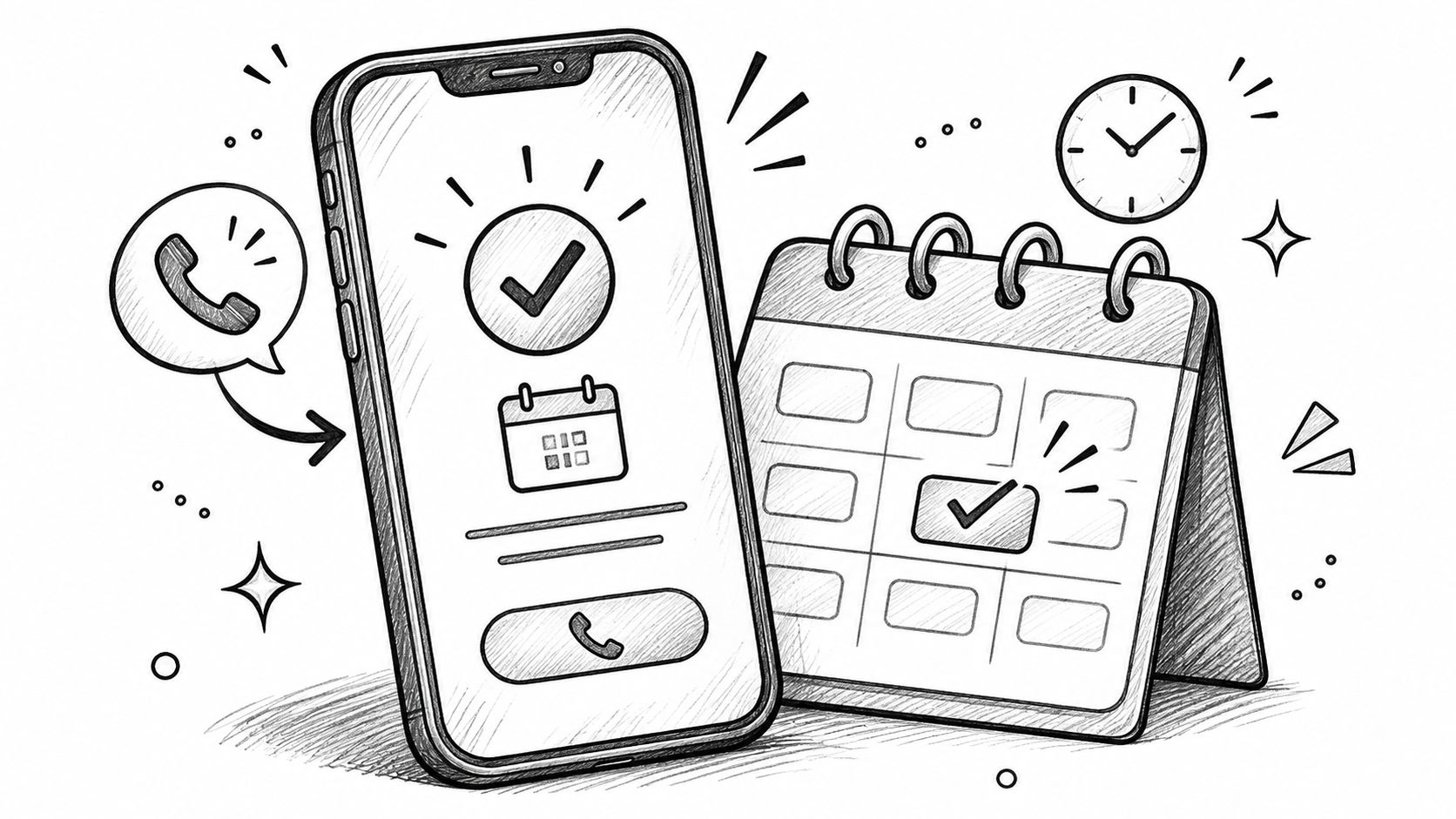
Here is how an automated booking confirmation looks next to the calendar slot it creates:
A 2006 randomized controlled trial in UK primary care published in Family Practice showed why this short written record pays off. Attendance sat at 48.1% among patients who received no reminder, climbed to 59.0% for those receiving text messages (a 10.9-percentage-point lift, or roughly a 23% relative improvement), and reached 59.6% for mobile-phone reminders. A brief asynchronous text performed nearly identically to a manual call without burning staff hours.
Working template: Hi [Name], your [service] at [Business] is booked for [day] [date] at [time]. Address: [address]. To change it, call [number]. Reply STOP to opt out.
What Makes This Format Hold Up
Sending the confirmation before the caller even sets their phone down removes buyer's remorse and cuts down on callback checks the next morning. If your phone line runs an AI appointment setter connected directly to Google Calendar, the system checks live free/busy slots, writes the event, and fires this SMS during or right after the call. Service companies that publish clear post-booking expectations, such as customers who have booked with Bear Valley Plumbing & Heating, reduce morning dispatch confusion because both sides hold the same record.
- Verify the mobile number live: Read back the date, time, service, and cell number before ending the call so the confirmation doesn't vanish into a landline.
- Fit the lock screen: Keep the full text tight enough to display on a locked smartphone without forcing the recipient to scroll through a wall of prose.
- Offer a human escape hatch: Always include a working callback number so someone who caught a typo can reach a person right away.
- Match the caller ID: Send the text from the same recognized business number you answer on, or clearly name the business in the opening six words so recipients don't flag it as spam.
The trade-off here is speed versus nuance. Because the message fires automatically at the end of the call, any error captured during speech recognition goes straight into the text. That's why reading details back aloud before writing to the calendar is essential.
2. Confirm or Cancel Reply Prompt
Sending a confirmation text doesn't mean the appointment is confirmed. Many operators treat SMS as a one-way megaphone, only to discover that real customers treat every text thread as a conversation.
In a 2026 qualitative analysis of 743 responses to automated healthcare messages published in JAMA Network Open, patients didn't just reply to confirm attendance. They used the thread to cancel, reschedule, correct personal details, ask follow-up questions, and request human help. If your workflow only recognizes rigid keywords and dumps everything else into a black hole, a short confirmation text creates more frustrated callers instead of fewer.
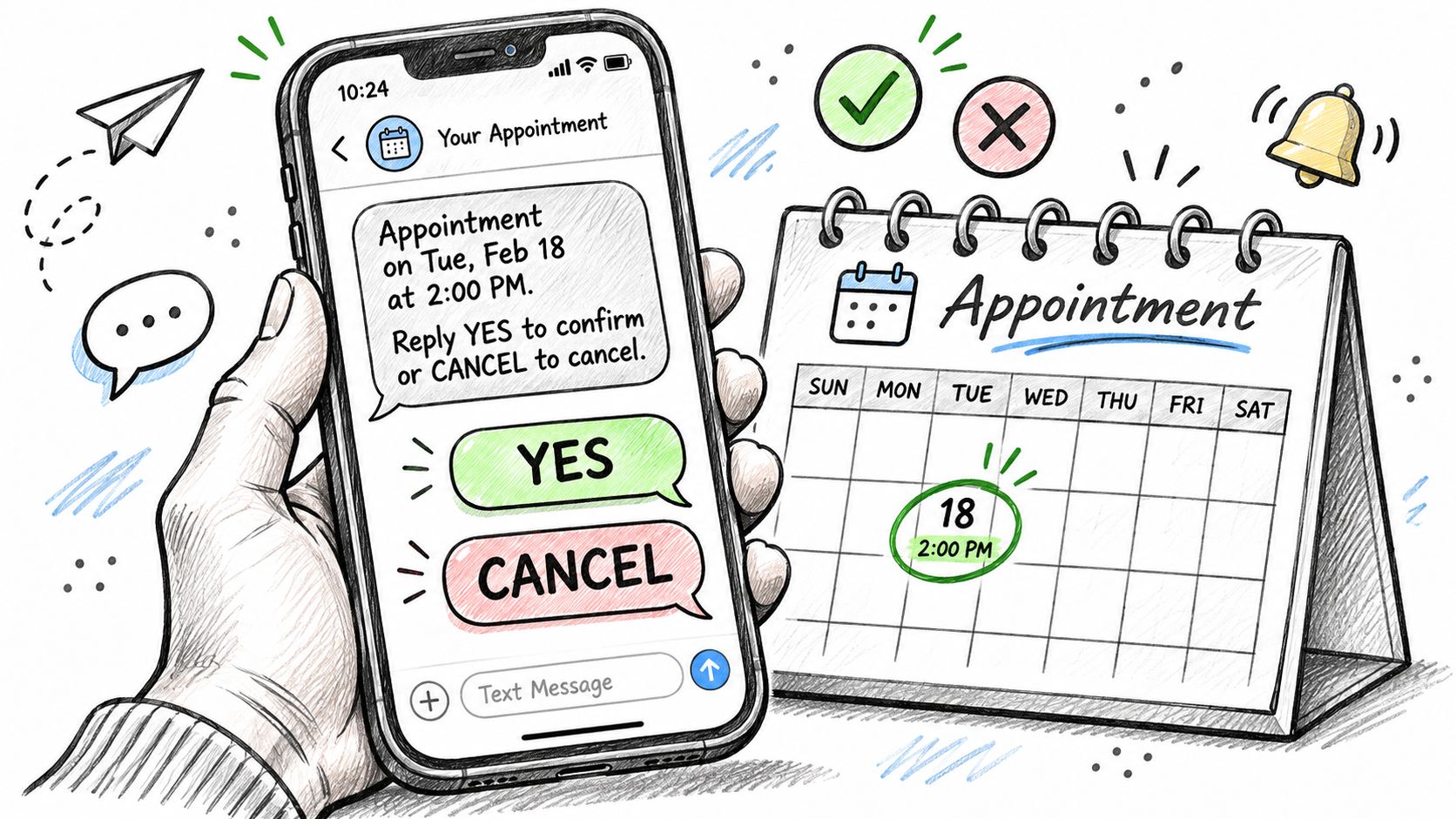
Working template: Your appointment with [Business] is on [day] at [time]. Reply YES to confirm or CANCEL to free the slot. Reply STOP to opt out.
For dental clinics, medical practices, law offices, and other high-value slot businesses, capturing a cancellation early is often more valuable than getting a confirmation. An evaluation in a London hospital ophthalmology department indexed by PubMed Central recorded an 11.2% non-attendance rate among 447 SMS recipients, compared with 18.1% across 9,512 patients without SMS reminders, a 6.9-percentage-point drop and roughly 38% fewer missed visits. Turning silent no-shows into logged cancellations lets your desk backfill open chairs.
This desk setup shows how a two-way reply prompt pairs directly with the live booking calendar:
Exception rule: Never launch a two-way confirmation prompt without deciding who handles free-text replies like "Running 15 minutes late" or "Can my spouse come instead." Route every unrecognized reply to a human inbox or callback queue within minutes.
Handling Unclear Replies Without Losing the Slot
Keep your reply keywords limited to two unmistakable words, such as "YES" and "CANCEL". Asking a busy customer to remember letter codes like R for reschedule or C for confirm invites mistypes.
You also need a clear rule for silence. If a slot stays unconfirmed 24 hours before the visit, trigger an automated outbound voice check-in rather than assuming the customer will show up. Finally, verify that a "CANCEL" reply releases the block in your calendar software and logs an audit trail, because an automated cancellation that leaves the slot grayed out wastes the exact capacity you tried to save.
3. Reminder Text With a Reschedule Option
Confirmations sent right after booking stop immediate confusion, but they don't solve a schedule conflict that pops up two weeks later. A dedicated reminder sent before the visit gives wavering customers a low-friction path to move their slot instead of ghosting you.
A randomized primary-care study hosted on PubMed Central demonstrated that adding a targeted text message cut the chance of a no-show by 7% (risk ratio 0.93) and lowered same-day cancellations by 6% (risk ratio 0.94). Tracking confirmed bookings, late cancellations, and no-shows as separate numbers lets you see whether your reminder timing is shifting behavior or firing too late to refill the calendar.
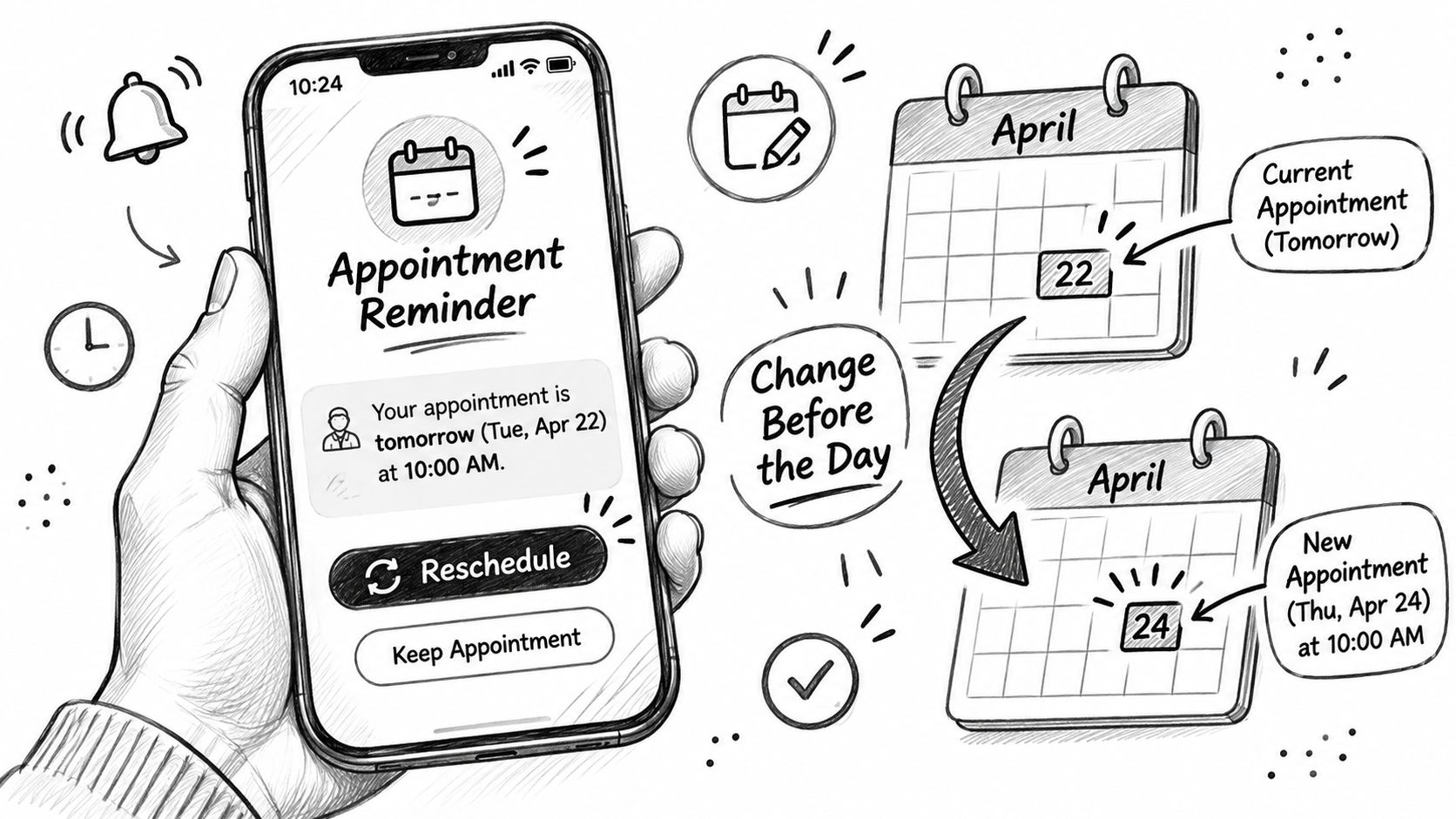
Working template: Reminder: your [service] with [Business] is tomorrow, [day] at [time]. To reschedule, reply RESCHEDULE and we will call you back. Reply STOP to opt out.
Staying Compliant When Calling and Texting Lists
Outbound reminders work at scale across clinics, repair bays, insurance offices, and subscription teams, especially when paired with automated appointment reminder calls for contacts who don't reply to the text. Scaling outbound contact lists carries strict legal duties, though. Under Federal Communications Commission robocall rules for callers, businesses generally need consumer consent before sending informational autodialed or prerecorded calls or texts to wireless numbers. While informational messages may generally rely on oral consent, telemarketing messages require prior written consent, and prerecorded telemarketing calls must offer an immediate opt-out.
Keep informational reminders strictly separate from promotional upsells. Mixing a discount offer into a reminder text can reclassify the message as marketing and violate consent rules.
Here is how a clean reschedule prompt looks on a customer's screen when they need to shift their slot:
- Layer your timing: Send one reminder 24 hours ahead for standard visits, and add a short morning-of nudge for high-ticket or multi-hour appointments.
- Test the callback trigger: Before uploading a full customer list, run a live test to confirm that replying RESCHEDULE queues a callback or opens a working calendar link.
- Respect local calling hours: If a reschedule reply triggers an outbound AI follow-up call, make sure the system dials strictly inside each contact's local time zone and discloses the AI upfront.
The trade-off with making rescheduling effortless is that some customers will move appointments they might otherwise have kept. Even so, a rebooked slot next Tuesday beats an empty chair tomorrow morning every single time.
4. Appointment Confirmation With Preparation Instructions
Some visits fall apart even when the customer arrives on time. If a dental patient forgets their insurance card, a legal client leaves signed deeds at home, or a clinic patient eats before fasting blood work, the entire appointment gets wasted.
Yet packing every clinical or procedural detail into one SMS creates a real privacy and usability risk. Research published in the Journal of the American Medical Informatics Association (JAMIA) points out that shared phones, visible lock screens, language barriers, and varying literacy levels make hyper-detailed texts risky. The paper highlights a 2025 Haiti study where researchers included the patient's name but intentionally omitted extra appointment specifics because family members shared handsets, alongside a 2025 primary-care study that matched English- and Spanish-language messages with structured reply trees.
Working template: Your appointment at [Business] is [day] at [time]. Please bring photo ID and your insurance card. Arrive 10 minutes early to complete forms. Reply STOP to opt out.
This video walks through how concise appointment confirmation templates balance clarity and action without overwhelming the reader:
Splitting Prep Details Between SMS and Phone
Treat the SMS as a quick checklist, never as a medical chart or contract. Limit preparation steps inside the text to three short items or fewer, and avoid naming sensitive diagnoses, legal case numbers, or treatment specifics that could embarrass the recipient on a lock screen.
Put checklists on a dedicated web page, the way aesthetic clinics publish detailed laser hair removal appointment prep guidelines online, and load those exact same pages into your phone receptionist's knowledge base. When a caller phones back with a specific question about medications, parking, or dress code, the AI can pull the exact answer from your knowledge base in the caller's preferred language instead of forcing you to bloat every outgoing text.
The safest confirmation text is often slightly less detailed than the most convenient one. Keep sensitive details out of SMS by default, honor language preferences, and verify identity before disclosing private information over a reply thread.
Review your preparation template every quarter. Whenever your intake forms, parking rules, or clinic protocols change, outdated text templates are usually the last asset a busy team remembers to edit.
5. Arrival Window Confirmation for On-Site Trades and Repair Work
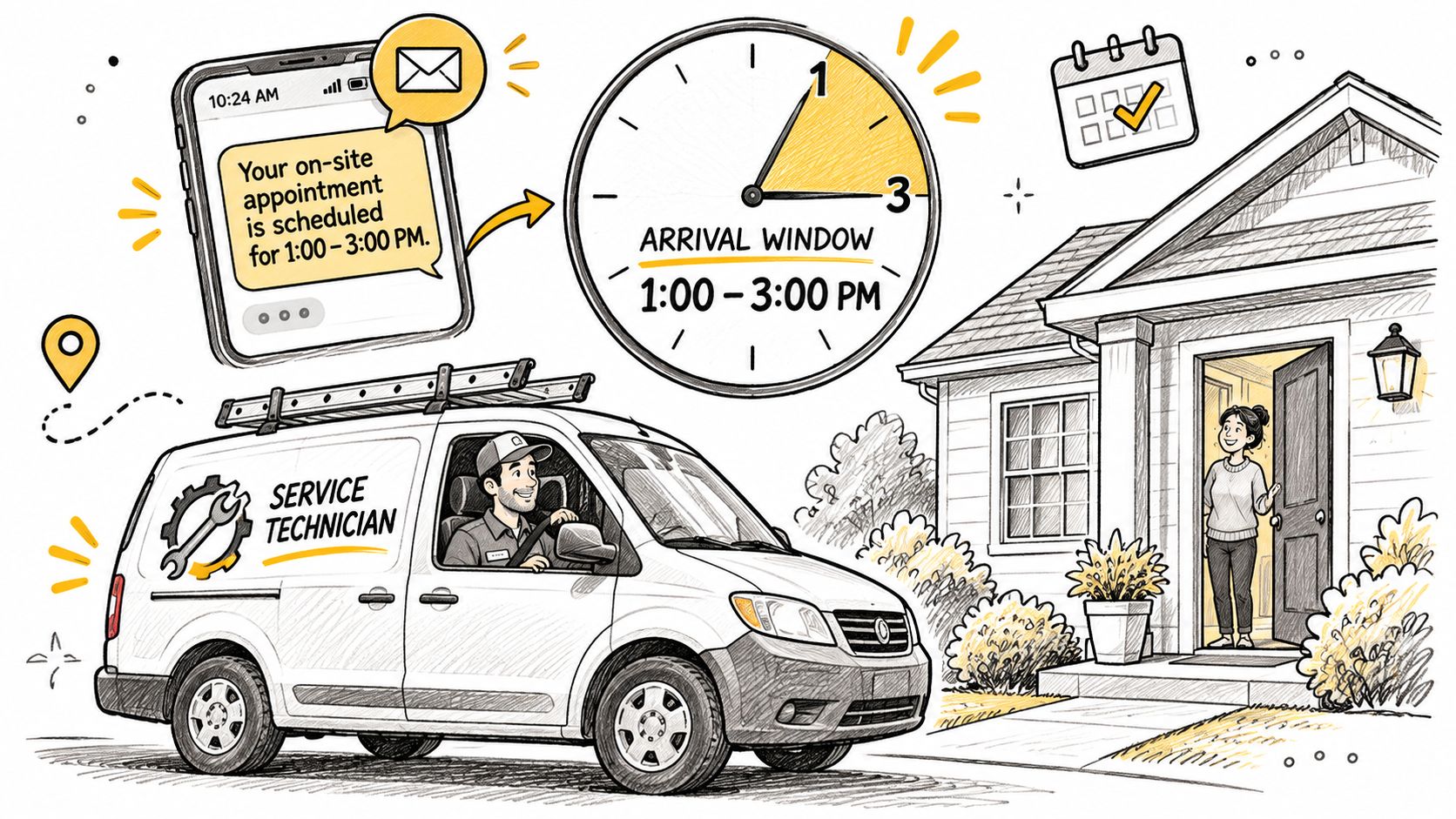
Working template: Your [service] visit with [Business] is booked for [day] between [time] and [time]. We will text when we are on our way. Reply STOP to opt out.
Plumbers, electricians, HVAC crews, and mobile mechanics rarely hit an exact minute on the clock. One rusted shutoff valve at 9 am pushes every afternoon stop back by 40 minutes. Promising a 1:00 pm exact arrival in your confirmation text guarantees angry calls at 1:12 pm, whereas confirming a realistic two-hour or four-hour window sets honest expectations from the start.
In field trades, phone calls often go unanswered because the crew is under a sink or on a roof. A 2013 systematic review of eight randomized controlled trials covering 6,615 participants indexed by PubMed Central found across seven pooled trials (5,841 participants) that attendance reached 78.6% with text reminders compared with 67.8% without reminders and 80.3% with telephone reminders (pooled risk ratio 1.14). A separate Geneva University Hospitals trial cited in that same review recorded missed-appointment rates of 11.7% for text reminders versus 10.2% for phone calls, a difference that wasn't statistically significant. For small trade crews with no full-time dispatcher, automated booking texts deliver nearly the same reliability as live confirmation calls while your vans stay rolling.
Here is the moment that arrival-window communication is designed to coordinate smoothly:
Separating the Booking Text From the Dispatch Text
Don't try to do two jobs in one message. The confirmation text locks in the arrival window and any access requirements (such as securing pets or clearing the breaker panel). A second, separate dispatch text goes out only when the technician physically pulls out of the previous driveway.
- Base windows on real job logs: Check your past month of completed tickets rather than guessing. If standard repairs average 90 minutes, a two-hour arrival window protects your schedule without feeling vague.
- Confirm access notes: Note gate codes, parking instructions, or drop-off key box rules in the booking record so technicians don't arrive to locked fences.
- Keep urgent transfers live: If a homeowner replies or calls back saying a slow leak just turned into a burst pipe, your phone system needs a warm-transfer path straight to the on-call technician or owner, plus an immediate SMS summary with the caller's address.
Auto repair shops running drop-off bays can adapt this exact structure by swapping the arrival window for a morning drop-off window and adding whether a loaner vehicle was reserved.
6. Recurring Series Confirmation for Salons and Regular Services
Hair salons, barbershops, physiotherapy clinics, dog groomers, and personal trainers live on repeat bookings. Yet confirming a six-month recurring series by blasting six separate texts at checkout annoys clients and clutters their inbox. Confirming the cadence once, along with the immediate next date, gives clients the pattern without the noise.
Digital reminders protect that recurring calendar reliably. A systematic review and meta-analysis of digital notification studies published through PubMed Central found that recipients of reminders were 25% less likely to miss appointments than people who received none, bringing the no-show rate down from 21% to 15% (risk ratio 0.75). Clients want these digital nudges, too: in a 2024 survey by athenahealth, 72% of patients said they wanted upcoming appointment reminders delivered via digital platforms.
Working template: Your next appointment at [Business] is [day] [date] at [time]. You are booked every [interval]. To change or stop, call [number]. Reply STOP to opt out.
Stopping Silent Drop-Off Across a Series
The biggest failure mode in recurring bookings isn't forgetting the first visit. It's the quiet drift that happens three months later when a client's work shift changes and they stop showing up without canceling the remaining slots.
Never rely solely on the initial series confirmation. Schedule an individual reminder text before every single visit in the sequence, because a slot booked six weeks ago behaves like a brand-new appointment in a busy person's memory. When a client skips a visit or cancels a series, log the exact reason in your booking record so you can spot whether price, timing, or staff changes are driving churn.
Retention check: When a regular client misses one appointment in a recurring series and doesn't rebook within seven days, move them into an outbound win-back call or text campaign before they find a different provider.
This approach also translates cleanly to subscription renewals and lapsed-player reactivation lists, where automated outbound calls identify who wants back on the schedule and immediately text the next step to anyone who says yes.
7. Property Viewing Confirmation for Real Estate Agencies
Real estate agents lose hours every week sitting in empty driveways because a prospective buyer mixed up Oak Street and Oak Avenue, or forgot which agent they spoke with after calling four listings in one afternoon. A clear viewing confirmation pins down the exact address, meeting time, agent's name, and street parking rules before anyone gets in the car.
Checking that your confirmation messages reach mobile numbers matters just as much as writing them well. In a 2024 study in the Port-au-Prince metropolitan area reported in JMIR Formative Research, 78.1% of 183 patients who received an SMS appointment reminder confirmed receiving it. Nearly a quarter didn't confirm receipt, which mirrors real-world phone lists where mistyped digits, roaming lines, and unreachable carriers eat into show rates unless you verify numbers on the call.
Working template: Your viewing at [address] is on [day] at [time] with [agent name]. Parking is on [street]. To change the time, reply or call [number]. Reply STOP to opt out.
Keeping Agent Calendars Clean on Viewing Day
High-volume brokerage teams field dozens of inbound portal enquiries while agents are actively showing homes. Combining instant phone capture with structured real estate lead follow-up keeps hot buyers from moving on to the next listing while also cutting dead drive time for agents.
- Double-check street numbers before sending: Confirm the exact unit number, buzzer code, and postal code during the booking call, especially when an agency lists multiple condos in the same building.
- Fire a morning-of check: Send a brief morning text on viewing day so buyers who already made an offer elsewhere can release the time slot before your agent drives across town.
- Standardize change requests: Route every reply asking for a different viewing time back to one shared booking logic so the agent's Google Calendar updates immediately rather than leaving double-booked overlaps.
- Verify identity when required: If your agency requires pre-qualification letters or photo ID for vacant properties, ask the visitor to bring it or upload it through your secure portal instead of asking them to text sensitive documents over standard SMS.
The trade-off in real estate is personal touch versus speed. Some agents worry an automated text feels impersonal, yet putting the specific agent's name and local parking instructions right in the confirmation makes the message read like a helpful assistant rather than a cold system alert.
8. Restaurant or Hotel Reservation Confirmation With Policy Wording
Empty tables on a Friday night and unsold hotel rooms can't be recovered once the evening passes. A reservation confirmation does two jobs at once: it reassures the guest that their table or room is secured, and it puts your cancellation or late-arrival policy in writing before a dispute can start.
The operational payoff of cutting non-attendance is substantial at volume. In a randomized controlled trial at an internal-medicine outpatient clinic in Saudi Arabia published in the Eastern Mediterranean Health Journal, SMS reminders lowered non-attendance from 39.8% to 26.3%, a 13.5-percentage-point drop equal to roughly 34% fewer missed appointments. While hospitality no-show baselines differ from outpatient clinics, the math scales the same way: reducing missed bookings by even a fraction protects kitchen prep, front-of-house staffing, and room inventory.
Working template: Your table at [Business] is booked for [party size] on [day] at [time]. Please let us know 24 hours ahead if you need to change or cancel. Reply STOP to opt out.
Setting Boundaries Without Sounding Hostile
Policy wording backfires when it reads like a legal threat. State the notice window plainly, explain how to modify the reservation, and keep the full cancellation fee schedule or deposit terms on your website with a short link if your venue charges no-show fees. Never cram four sentences of fine print into an SMS.
Always verify the exact party size out loud during the phone call, because callers frequently ask for "four" and then casually mention a high chair or two extra guests right before hanging up. Connect your phone booking workflow directly to the calendar your host stand watches live so every reservation and party-size adjustment shows up the second the call ends.
There's one practical trade-off to watch with policy texts: only write a rule your staff will enforce. If your text threatens a cancellation fee or a 15-minute grace period that hosts consistently ignore, repeat diners learn to disregard your messages altogether.
How the eight confirmation formats compare
| Item | Best for | Customer action needed | Key detail to include | Reply handling |
|---|---|---|---|---|
| Booking confirmation sent straight after an AI phone call | Phone bookings, including after hours | No action unless changing the booking | Service, date, time, address, and business name | Provide a contact number for changes |
| Confirm-or-cancel reply prompt | Businesses aiming to reduce no-shows | Reply YES to confirm or CANCEL to release the slot | Booking details and clear reply options | Record replies against the booking; route unclear replies to staff |
| Reminder text with a reschedule option | Businesses managing appointment reminders at scale | Reschedule or cancel by reply or link if needed | Appointment date and time, plus a working reschedule option | Log each response or outcome |
| Appointment confirmation with preparation instructions | Clinics, dental practices, and professional services | Follow preparation steps before the visit | Appointment details and key items to bring or steps to complete | No specific reply handling stated |
| Arrival window confirmation for on-site trades and repair work | Plumbing, electrical, HVAC, and auto repair businesses | Prepare for the visit, such as arranging access | Job type, address, arrival window, and any access instructions | Include a contact path for changes or urgent issues |
| Recurring series confirmation for salons and regular services | Salons, barbers, and wellness services with repeat bookings | Contact the business to change or stop the series | Booking pattern and next appointment date | Provide a way to change or stop the series |
| Property viewing confirmation for real estate agencies | Real estate agencies arranging property viewings | Reply or call to change the time | Property address, viewing time, and meeting agent | Use a standard change process to keep the calendar accurate |
| Restaurant or hotel reservation confirmation with policy wording | Restaurants, hotels, and similar venues | Contact the venue to change or cancel | Date, time, party size or room type, and brief policy | Provide a number or option for booking changes |
Start With the Details Every Confirmation Must Carry
The confirmation text is the point where a phone booking becomes a real appointment. Before you send one, check that it carries the service, date, time, and place in plain language. Add a simple way to change or cancel, then close with clean opt-out wording. Send a test message to your own phone and inspect how it reads on a lock screen. Confirm the mobile number aloud during the call so the message does not land on a landline.
Keep the business number visible beside the address, booking page, and location details. A restaurant publishing a direct phone number for Little Italy dining gives diners an easy route when plans change, and the same logic applies to clinics, salons, trades, venues, and agencies. When your address, preparation steps, or cancellation window changes, update the SMS template and the phone knowledge base together. A confirmation that is accurate on paper but stale in practice creates avoidable calls.
The reply rule should match the job. For a standard booking, let the customer confirm or cancel by reply. For a reminder, include a reschedule path. For on-site work, carry the address, arrival window, and access note. For a recurring series, state the pattern and next date, and give the customer a route to change or stop it. For a viewing or reservation, keep the address, time, meeting contact, party size, room type, or policy wording short and clear.
If one workflow should cover both inbound booking and outbound reminders, Dial Milo answers calls, books into Google Calendar, checks live availability, writes the caller as an invited guest, and texts a confirmation. It can also take voicemail, capture lead details, answer from a business knowledge base, and transfer a call to a person when needed. Website-based setup drafts the receptionist from business pages, and the service supports 20 languages.
Billing is prepaid and usage based, with AI processing and telephone charges separated. Outbound calls nobody answers are not charged, balances do not expire, and phone numbers carry monthly rental. Text messages sent during a call cost from $0.01 per message, and the price varies by destination. Check the Dial Milo pricing page for current rates before you commit to a workflow.
Keep reading

7 Lead Generation for Real Estate Strategies for 2026
Seven practical Lead Generation for Real Estate strategies: fast enquiry follow-up, consent-based calls, open-house callbacks and viewing reminders.
Read
Finance Answering Service: Automation Limits and Privacy
Finance answering service guide: which calls AI can handle, how to protect caller privacy, capture accurate messages and hand over calls safely.
Read
Customer Feedback Phone Calls That Get Honest Answers
Learn how to plan customer feedback phone calls, ask better questions, and turn each outcome into a clear follow-up.
Read