The call comes in while your hands are full. By the time you've wiped them and reached the phone, it's stopped, and the person who wanted a quote has already rung the next name on their list. Meanwhile a form submitted at 11:40 last night is sitting in an inbox nobody has opened, and the spreadsheet of customers who stopped buying six months ago hasn't been touched since it was exported.
That gap between an enquiry arriving and somebody deciding what to do with it is where a lot of quiet loss happens. Automated lead qualification closes some of it, but not in the way the phrase suggests. The system doesn't sell for you, and it doesn't adjudicate the awkward cases. It asks, records, sorts, and hands over.
The skill is drawing the line between those two halves. Most of what follows is about where that line belongs and how to check it's in the right place.
What Automated Lead Qualification Means in Practice
Automated lead qualification is the process of deciding, without a person doing every step, which enquiries are worth a salesperson's time, which need a follow-up later, and which can be parked or closed. A system doing this work performs three jobs. It collects facts from the contact, checks those facts against rules or a model, and acts on what it found.
Airport security is the closest everyday parallel. The scanner doesn't decide who boards the plane. It sorts passengers into lanes so the staff who do make decisions are standing in the right place, with the right information, when a bag needs opening.
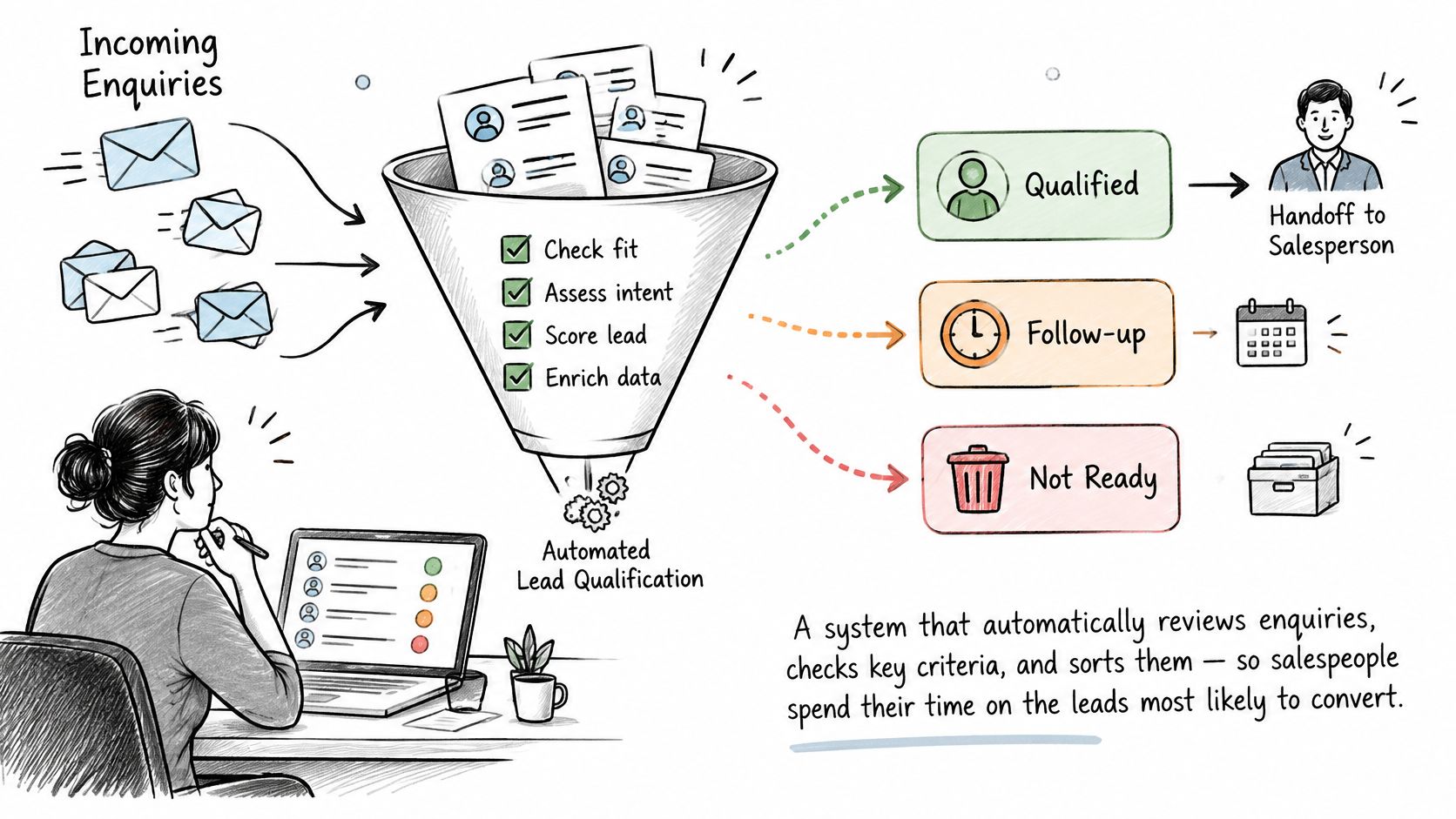
Collecting means capturing the callback number, the job type, the address, and how soon it's needed. Checking means comparing those answers against a service area, a list of accepted jobs, a calendar that has slots in it, or a short list of exceptions. Acting means booking the slot and texting a confirmation, transferring the caller, or adding a line to a callback queue with the reason attached.
Manual qualification does the same three jobs badly. A rep reads a form hours after it landed, guesses at half the answers, and rings back when the moment has passed. The work isn't wrong. It's serial, and it only happens when someone is free.
Two examples show the range. A heating engineer gets a call at 10pm about a burst pipe. The call is answered, the address is checked against the service area, the caller is told someone will ring back within twenty minutes, and the on-call engineer's phone buzzes before the van is loaded. A dental practice gets a routine booking request at midnight. Nobody is woken up. The appointment goes in the calendar, a confirmation text goes out, and the morning list has one fewer thing on it.
Enquiries don't arrive inside office hours, and no team can staff the phones around the clock. That's the honest case for automating the first few minutes, and it is not a case for automating the rest of the conversation. Sorting and recording is what the software does well. Judgement on a difficult, high-value or sensitive call still belongs to a person.
The test to apply to any process: does it decide the next action from information it captured during the contact? If the answer is no, it's a form with a queue behind it.
If you're mapping where qualification stops and record enrichment starts, this breakdown of qualification criteria for enrichment pipelines is a useful reference for which fields a system should ask for and which it should look up.
The Signals an Automated System Scores
A score isn't a verdict on a person. It's a summary of a handful of signals that, in your own records, tended to lead somewhere.
| Signal | What It Indicates | Example | How Automation Captures It |
|---|---|---|---|
| Urgency | Time pressure on the need | Burst pipe needing a same-day visit | Timing question at the start of the call |
| Request type | Which service or job is wanted | Quote for a kitchen refit | Service selection from the script |
| Location | Whether the business covers the area | Postcode outside the service zone | Address check against a service-area list |
| Callback number | Whether the contact can be reached | Mobile number in a valid format | Number check at capture, with bad numbers rejected |
| Budget fit | Whether the price range suits the offer | Asks only for a free estimate | Price-band question with a set range |
| Engagement | Interest shown in earlier contact | Replied to a reminder text | Reply and campaign outcome log |
| History | Prior relationship with the business | Lapsed customer, last visit 14 months ago | Lookup in the booking or CRM record |
Explicit answers and quiet behaviour
Two kinds of signal sit in that table. Explicit signals are the ones you asked for: what the job is, where it is, how soon, and what number to ring back on. Implicit signals are the ones the contact left behind without being asked: whether they replied to the reminder last time, whether they've booked before, what happened at the end of the last call.
The shift from checklists to models is well documented. A 2015 paper, Probabilistic Modeling of a Sales Funnel to Prioritize Leads, described models that use historical CRM or marketing-automation data to estimate a prospect's probability of reaching a sales opportunity, completing a sale, or generating expected revenue. It presented two approaches, a direct qualification model and a full-funnel model, and ranked leads by their predicted progression through several funnel stages rather than treating every inbound contact equally. The paper reported high area-under-the-curve performance for both and noted practical benefits including less time spent qualifying leads and fewer calls needed to schedule a product demonstration.
The lesson isn't that every business needs a trained model. It's that qualification is more than a checklist of company size, location or budget. If you want the fuller mechanics of weighting and cut-offs, SignalSpot's lead scoring breakdown covers how points, decay and thresholds fit together.
Why three signals beat twenty
Two mistakes show up again and again. The first is scoring on a single signal, usually company size, which tells you almost nothing about whether this particular caller has a problem this week. The second is using postcodes or names as stand-ins for traits that should never affect the decision, which is both unfair and a poor predictor.
Pick three to five signals for a first version, and tie each one to an outcome you already record, such as appointments kept or quotes accepted. Add a sixth only when you can show it moves one of those numbers.
Budget, need, timing and authority map onto this cleanly. Budget becomes the budget fit row. Need becomes request type. Timing becomes urgency. Authority is the one the table leaves out, so for a call to a business owner, ask who signs off and log the answer as a signal in its own right.
How the Qualification Workflow Runs Step by Step
The workflow is less mysterious than the vocabulary around it. Six steps, in order, each with a job to do and a predictable way of going wrong.
Here's the shape of it before the detail.
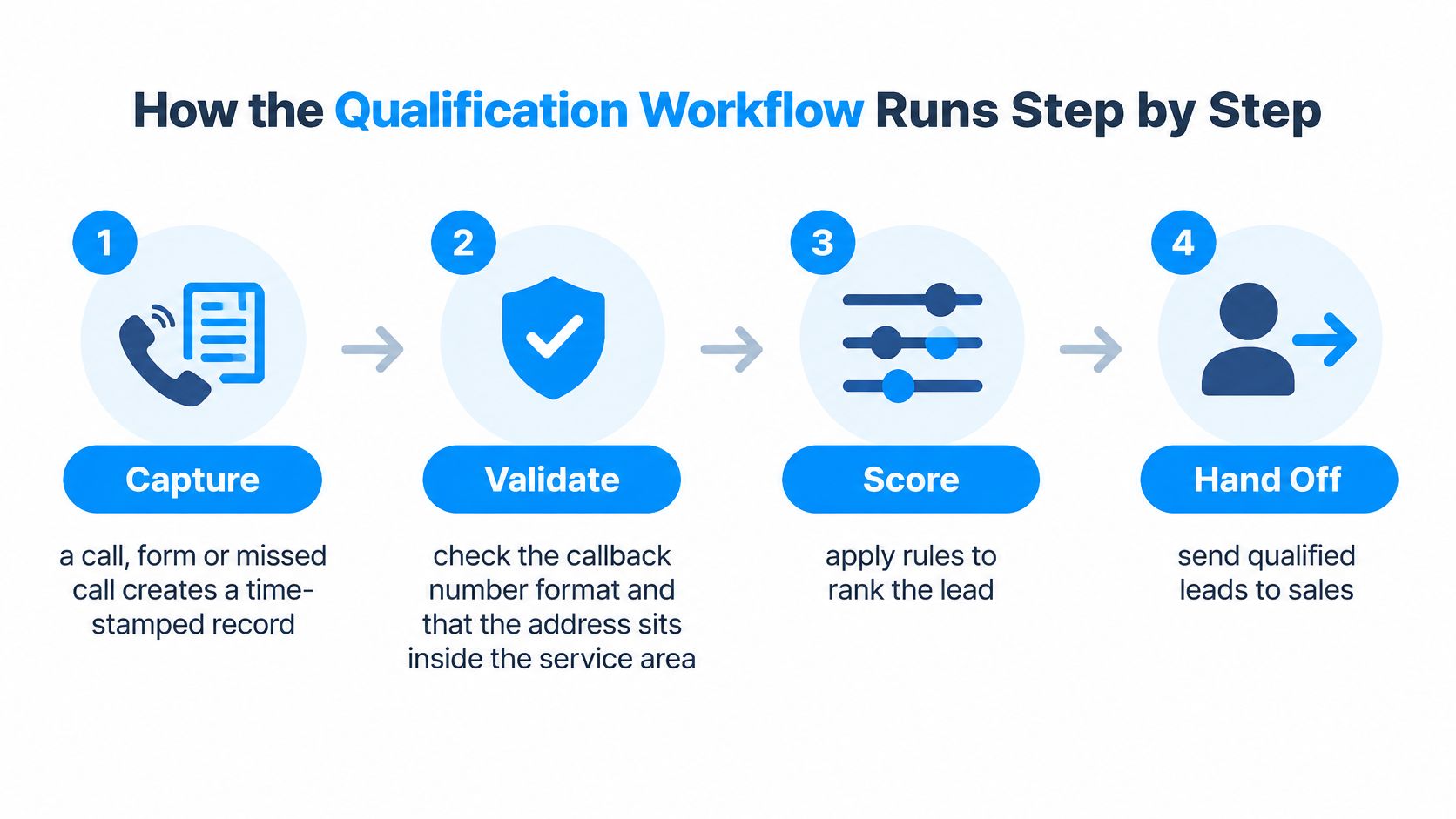
Six steps and the usual slip in each
- Capture. A call, a form or a missed call creates a record with a timestamp on it. The timestamp is the whole point, and it's the part teams skip because the software fills in a date "somewhere". The slip is a record that exists but can't tell you when the enquiry arrived.
- Validate. Check the callback number format and confirm the address sits inside the service area, then reject the numbers that fail. Skipping this step is the most common failure in the whole workflow, because it fills the callback list with numbers that ring out and makes the whole system look broken.
- Ask. Run three to five questions covering job type, urgency, address and the best time to call back. Milo runs this from an intake checklist you upload, asking your own questions and placing the answers in the lead detail. The usual slip is a question set that runs long. Past five questions, callers start finding reasons to hang up.
- Classify. Label the outcome as booked, interested, needs follow-up, not qualified or wrong number. Five labels beat twenty, because a label nobody applies consistently is worse than no label at all.
- Act. Book the calendar slot and send a text confirmation for clear matches, push urgent cases to a person straight away, and queue the borderline ones for a callback with the reason attached so the caller doesn't repeat themselves.
- Log. Save the transcript, the reason for the outcome and the time to first contact. Without the reason, the next person starts from scratch.
For a worked version, take a plumbing firm on a Saturday. Forty calls come in. Nine are emergencies and go straight to on-call staff. Twenty-two are booked into next week. Six are quotes that need a person to price them, so they queue for a callback. Three are wrong numbers and are rejected at validation.
A Saturday at a plumbing firm
By the evening, the log should read as a picture of the day rather than a list of calls. Every record carries a timestamp, a label, a transcript and a reason. The nine emergencies have a named engineer against them. The six quotes have a callback time someone committed to.
Milo handles this shape of work by qualifying on job type, address, urgency and callback number, and separating emergencies from scheduled jobs, which is the same sequence with the questions in a slightly different order.
A healthy log answers three questions without anyone opening a recording. What came in, what happened to it, and what is still owed to somebody.
For the wider framework behind step four, qualification guide for revenue leaders sets out how to decide what counts as qualified before you start writing questions.
Setting Thresholds and Knowing When to Hand Off
The instinct is to automate the whole conversation and remove the handoff entirely. That instinct costs money. Every qualification system sits on a dial, and the setting decides how many enquiries reach a person.
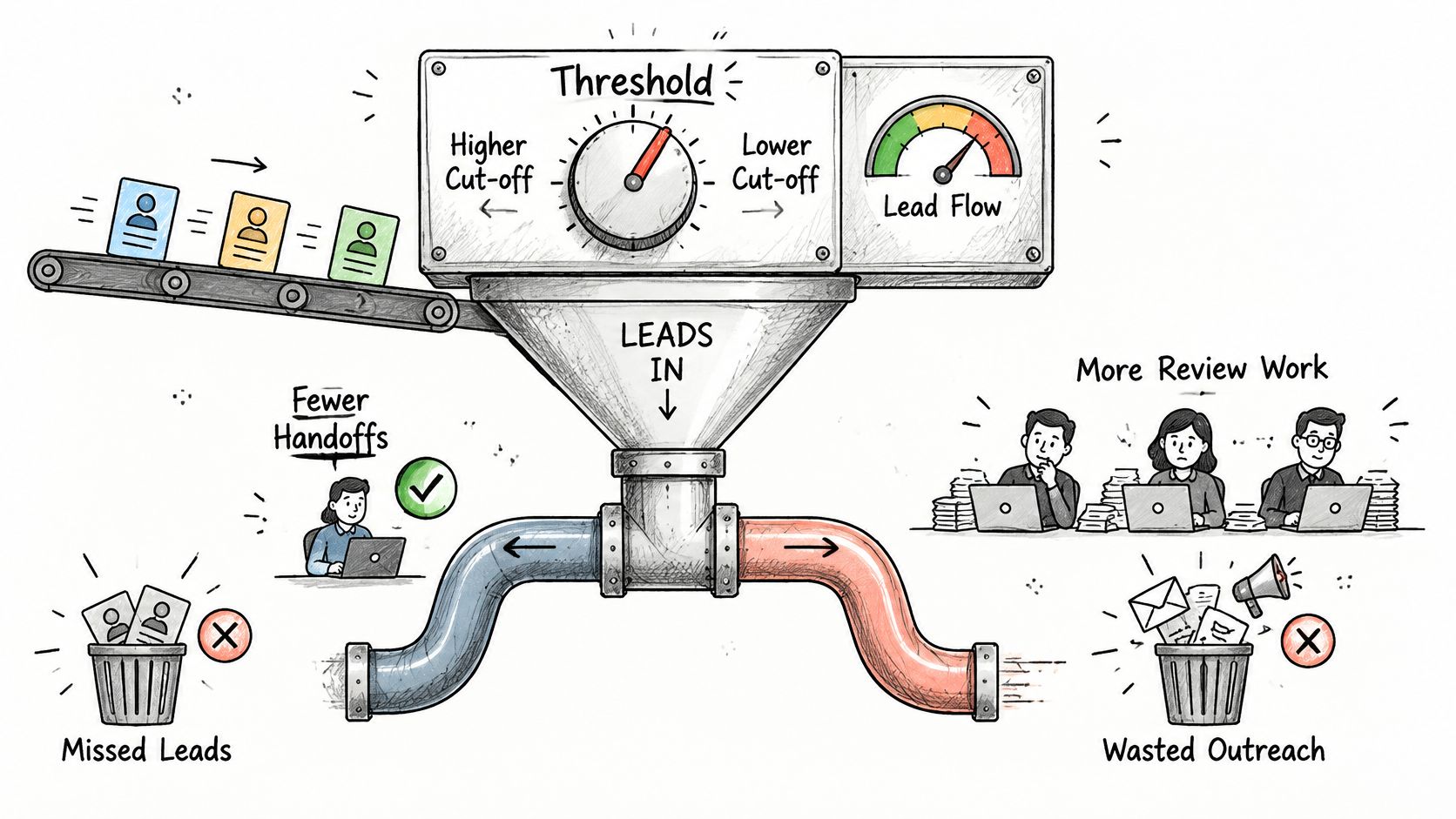
Turn it one way and the bar for passing is high. Fewer handoffs, less review work, and a steady trickle of good leads that never got a callback because the cut-off was set against tidiness rather than revenue. Turn it the other way and almost everything passes. Reps drown, and the ones who don't drown start ignoring the queue.
The dial you're really turning
Two plain words sit underneath the trade-off. Recall is catching the good leads, including the scruffy ones that don't look promising on paper. Precision is keeping the wasted ones out. You cannot max out both, and picking which one to favour is a business decision, not a software setting.
A systematic review of 44 studies on predictive lead qualification found classification to be the dominant data-mining approach, with decision trees and logistic regression among the most frequently used algorithms, and described the operational mechanism as converting historical records into a probability that a prospect becomes qualified. One reviewed telecom deployment produced a 15.73% prospect-to-qualified-lead conversion rate against a 10% average benchmark, according to the systematic review published in PubMed Central. The same review makes the control point plainly: maximizing recall reduces missed opportunities but increases handoffs and review volume, while maximizing precision reduces wasted outreach but can suppress borderline leads.
Set the cut-off against staff capacity and the relative cost of a missed lead compared with a wasted call. Then review it by segment and campaign, not by one overall accuracy figure, because an average hides the nights where everything falls over.
Where a person takes over
| Situation | Automation Can Do | Route to a Person |
|---|---|---|
| Clear appointment booking | Book the slot and send a confirmation text | Not needed |
| Unclear budget | Ask one range question and log the answer | If the answer stays unclear |
| Pricing dispute | Record the objection and the contact details | Always |
| Complaint | Take the message and transfer when asked | Always |
| Vulnerable caller | Stop the script and log the call | Always |
| Emergency | Capture the address and callback number | Immediately |
Three confidence levels make this workable in a script. Clear data, meaning a booking with a complete address and a valid callback number, proceeds on its own. An ambiguous answer, such as a budget that could mean anything, earns exactly one clarifying question and then a decision. Sensitive situations skip the scoring entirely.
A law firm shows why the sensitive lane needs a rule rather than a judgement call in the moment. Anything touching a deadline within 14 days goes straight to a lawyer, without a score being computed. Complaints, procurement or security questions, and anyone who sounds vulnerable or confused always reach a human.
The business stays responsible for how the system behaves. That means reading transcripts and adjusting the script, knowledge base and compliance settings when the AI does something you didn't intend.
When the answer is a transfer rather than a booking, how that transfer is made decides whether the caller stays on the line, which is the difference between a warm and a cold handoff. Warm transfer versus cold transfer covers the practical mechanics.
Consent, Opt-Outs and Compliance Rules for Calls
An automated call needs permission on record before it's placed. That's the short version, and it's the part campaigns get wrong most often, usually because consent was collected for something else entirely.
| Market | Consent Needed | Caller and Opt-Out Rule |
|---|---|---|
| United Kingdom, automated marketing calls | Specific consent naming the organisation and the method | Identify the caller and give contact details or a freephone number |
| United States, artificial-voice telemarketing to residential lines | Prior express written consent | Announce the opt-out at the start and honour it immediately |
In the United States, the Federal Communications Commission's rules for callers state that artificial-voice calls generally require consumer consent unless an exemption or emergency purpose applies, and that telemarketing robocalls to residential wireline numbers require prior express written consent. Recipients may revoke consent at any point. Opt-out instructions must be announced at the beginning of the call and stay available through an automated menu for its duration, and the request has to be honoured immediately. Practically, that means a suppression list and an interruption path that can stop future calls the moment somebody declines.
In the United Kingdom, the ICO's guidance on planning direct marketing is stricter in one specific way. An automated marketing call requires the recipient's specific consent, and general marketing consent or consent for live calls is not enough. That consent must identify both the organisation and the communication method, and it must be freely given, specific, informed, unambiguous and withdrawable. Every automated call must also identify the caller and provide contact details or a freephone number. For an AI campaign, consent capture, caller identification and a working opt-out become script requirements rather than legal footnotes.
What to record for every contact
Four fields do most of the protective work. Consent source and date, so you can prove where permission came from. The AI disclosure, given at the start of the call. The opt-out outcome, including a silent decline. The local call time, because a compliant list rung at the wrong hour is still a complaint waiting to happen.
Check suppression lists and do-not-call entries before every dial, not once at upload. Then remove the entry from the campaign the moment it appears. Inside our own campaigns, safer-gambling checks, calling hours, opt-outs and do-not-call lists are enforced by Dial Milo and apply to agent-launched campaigns exactly as they apply to campaigns the owner launches.
Consent is a record you hold, not a box somebody ticked two years ago on a different form for a different purpose.
For the mechanics of building campaigns that survive this scrutiny, automated outbound calls walks through the settings that matter.
Fairness is a measurement problem
Higher conversion can hide systematic under-qualification. If callers with unfamiliar names, strong accents or limited English fluency are routed to "not qualified" more often, the dashboard shows an efficiency gain and the business shows a slow leak of customers.
Compare qualification and handoff rates by language, region, postcode and call outcome. Avoid postcodes and names as stand-ins for anything, and keep a human review path for the uncertain cases the model scores near the boundary.
Measuring Speed to Lead and Running a 30-Day Pilot
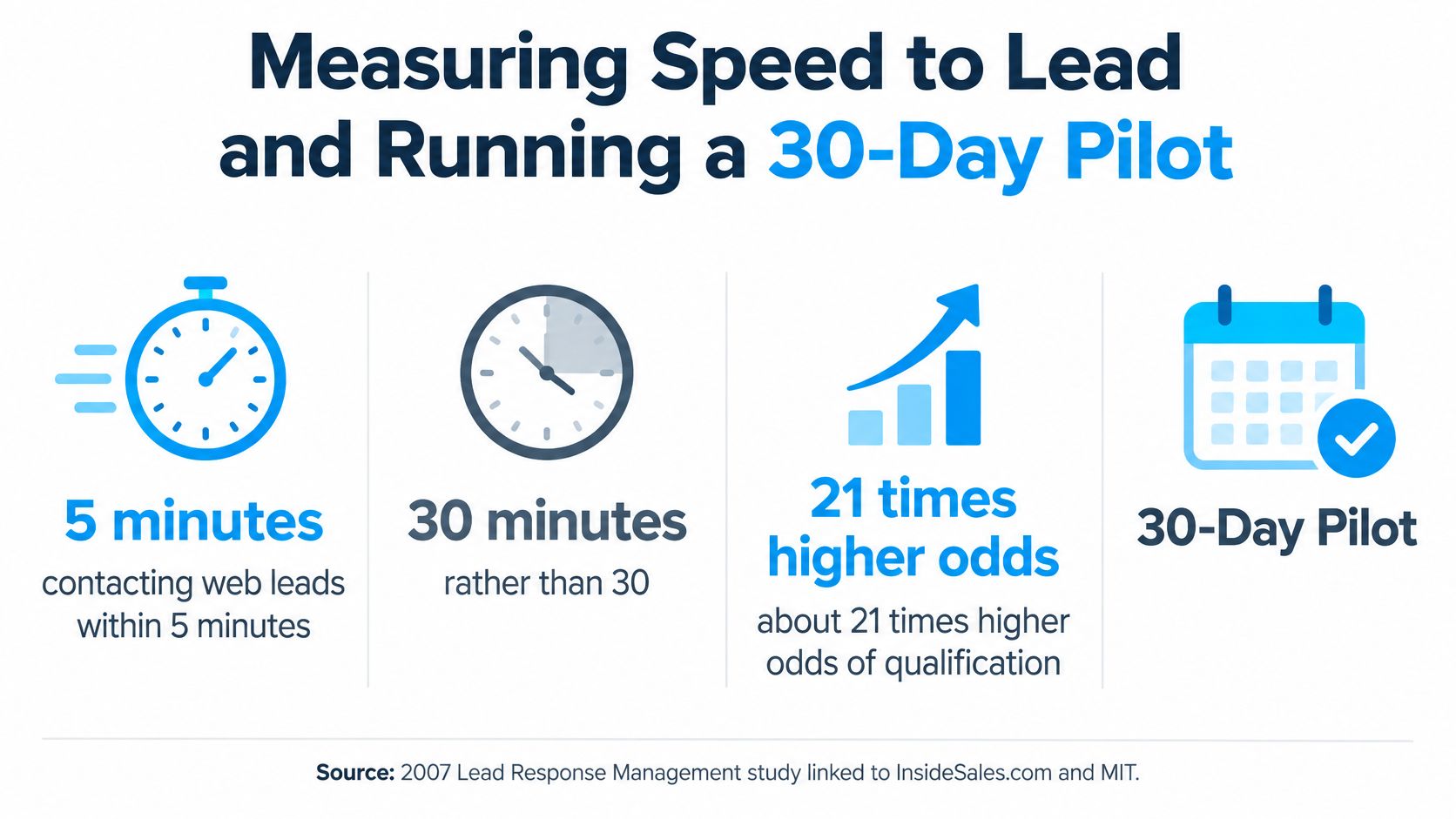
Speed is the one variable you can fix this week. A 2007 Lead Response Management study, commonly attributed to research involving InsideSales.com and MIT, compared firms that contacted web-generated leads within 5 minutes with firms that waited 30 minutes. Leads answered within 5 minutes had approximately 21 times higher odds of qualification and about 100 times higher odds of being contacted, according to the published summary of that study.
What the finding does and doesn't say
Those numbers are odds ratios, not conversion rates. They don't mean 21% of leads qualify, and they certainly don't mean automation multiplies revenue by 21. The study is also old and reaches most readers second-hand, so treat it as a reason to test rather than a target to hit.
Why does the effect exist at all? Because early contact lands while the enquiry is still the most interesting thing in the person's day. Wait a few hours and a competing quote, a forgotten detail or a change of plan gets in the way.
Time-stamp four events for every lead, then the metrics have somewhere to live.
| Metric | What It Measures | Why It Matters |
|---|---|---|
| Median seconds to first attempt | Time from enquiry to first call or text | Shows whether the speed target is met |
| Contact rate | Share of leads actually reached | Shows whether timing or numbers are failing |
| Qualification rate | Share of contacts that pass the criteria | Shows whether the questions work |
| Booking rate | Share of qualified leads that book | Shows whether the calendar handoff works |
| Transfer rate | Share of calls moved to a person | Shows how much judgement the workflow needs |
| Revenue per contacted lead | Value earned per lead reached | Shows whether faster contact pays off |
Watch for averages that hide the problem. One lead source might show a four-minute median reply at 10am and three hours overnight, which is exactly where the money leaks. Split the numbers by source and by time window.
The 30-day pilot, step by step
- Pick the single lead source with the slowest response or the highest volume. One source, one month.
- Map three to five signals from the table you're scoring against.
- Write a question set of no more than five questions.
- Route complaints, pricing disputes and emergencies straight to a person, no score computed.
- Confirm the consent, AI disclosure and opt-out steps for every market on the list.
- Record median seconds to first attempt and booking rate for two weeks before the change, then through the pilot.
Milo can carry the pilot on its own. It answers calls around the clock, books into Google Calendar, texts confirmations, and asks the questions from your uploaded intake checklist, placing answers in the lead detail. For property enquiries it screens on timeline, prequalification and the specific property before booking a showing, so only qualified buyers reach the calendar. Transcripts and call outcomes show who still needs a follow-up.
Cost is easy to model because it's prepaid pay-as-you-go with no subscription, no monthly minimum, no contract and no per-seat fee. A call on a US number runs about 12 cents per minute of talk time on the standard engine, billed per second, and outbound calls nobody answers are free. A US number costs $3 a month plus a one-time $3 setup, or you can forward an existing number for free, and texts are 1 cent. The full breakdown sits on the Dial Milo pricing page. New accounts get $1 of free credit with no card, and setup takes about three minutes from your website at Dial Milo signup.
At the end of the month, ask two questions. Did time to first attempt fall? Did handoffs stay inside the capacity the team has? The speed to lead hub has the benchmarks to compare against.
Dial Milo answers inbound calls around the clock and runs outbound AI campaigns for reminders, follow-ups, reactivation and feedback, qualifying each contact on your own checklist and handing the ones that need judgement to a person. It's prepaid, so a 30-day pilot on one lead source costs little more than the calls themselves, and you can read every transcript before deciding whether to widen it. Set up a receptionist or a campaign in about three minutes at Dial Milo and see what your own calls have been telling you.
Keep reading

7 Lead Generation for Real Estate Strategies for 2026
Seven practical Lead Generation for Real Estate strategies: fast enquiry follow-up, consent-based calls, open-house callbacks and viewing reminders.
Read
8 Text Message Appointment Confirmation Examples for 2026
Eight text message appointment confirmation examples, the details to include in each, and tips for clear messages that cut no-shows.
Read
Finance Answering Service: Automation Limits and Privacy
Finance answering service guide: which calls AI can handle, how to protect caller privacy, capture accurate messages and hand over calls safely.
Read