Most buying advice tells you to compare outbound call center software on price per minute, dial volume and seats. That advice will cost you money.
The first question isn't how fast a platform can push 5,000 numbers through a dialer, because every serious product does that. The first question is whether you can prove, contact by contact, that each of those 5,000 people agreed to hear from you, for that purpose, in that country, at that hour, and what the system recorded the moment one of them said stop.
Dial speed is the cheapest part of the stack and the easiest to copy. The record behind each call is neither. When a complaint reaches a regulator, or a carrier labels your number as spam, "we had consent" is worthless without a timestamp, a source and the exact words the customer heard. Judge every option in this market by what it stores for each contact, then by what it charges.
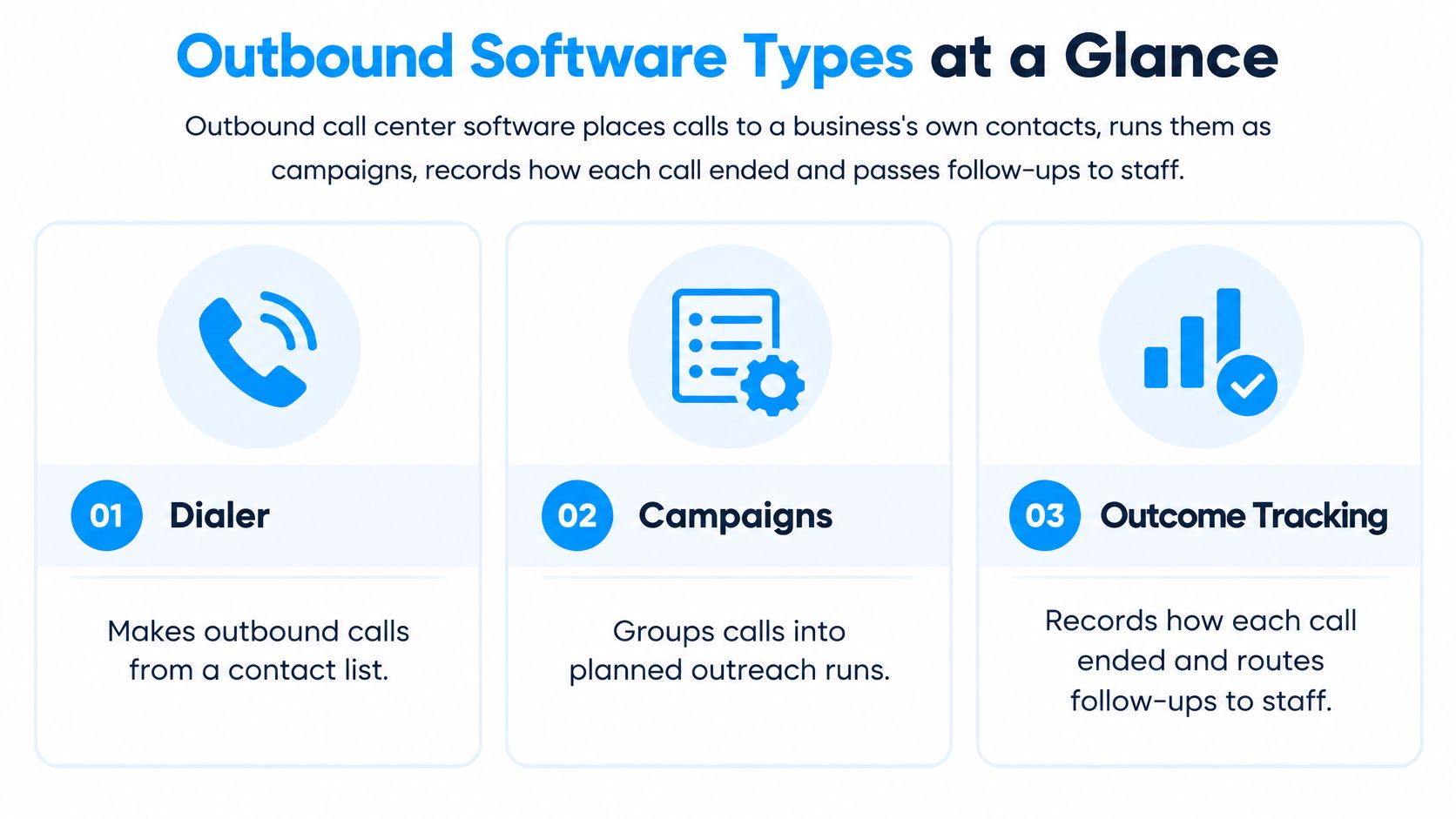
Outbound Software Types at a Glance
Outbound call center software places calls to a business's own contacts, runs them as campaigns, records how each call ended and passes follow-ups to staff. That definition rules out a lot of products sold under the label. A phone system with a click-to-dial button isn't outbound software, and neither is a spreadsheet of numbers with no outcome data attached.
| Option | Best for | Campaign automation | Compliance records | Reporting | Pricing model |
|---|---|---|---|---|---|
| Dialer suite for agent teams | Large in-house teams working queues | Predictive dialing and queues | Consent and do-not-call fields your agents must populate | Agent and campaign reports | Per-seat licence |
| AI voice campaign platform | Reminders, win-backs and follow-ups at volume | Automated calls, scripts and transfers | Disclosure and opt-out toggles | Outcome per call, transcripts | Usage-based or prepaid |
| Live answering service | Businesses needing a human on every call | Limited, mostly inbound | Depends on provider | Call logs | Per call, per minute or monthly plan |
| In-house agents with add-on dialer | Small teams with few calls | Manual lists | Manual records | Spreadsheets | Staff wages plus tool fees |
Cloud delivery is the default now, so browser-based administration and usage-based billing are baseline expectations rather than premium features. Cloud solutions accounted for approximately 74.24% of global contact-center software spending in 2025, inside a market valued at USD 72.86 billion and forecast to reach USD 184.24 billion by 2031, according to the contact-center software market analysis. That same analysis puts autonomous generative-AI agents at an estimated 18.43% CAGR through 2031, which is the clearest signal that buyers now judge these systems on automation depth, such as intent detection, outcome classification and CRM sync, rather than dialing alone.
Handoffs are where these deployments fail. A campaign texts a link, the customer replies in chat, then a different system calls them and asks them to repeat everything. Fixing handoffs between chat and calls is the unglamorous work that decides whether outbound software feels competent.
Two questions that split the market
- Who makes the calls. A trained agent working a queue needs pacing, preview screens and coaching tools. Automated outreach to a list needs disclosure, opt-out capture and an outcome on every record. These are different products with different cost structures, and buying one when you need the other wastes money twice.
- How many contacts a month need a call. Twenty reminders a day is a workflow problem. Twenty thousand win-back attempts a week is a data-governance problem, and the second one will expose every gap in your consent records within a month.
How Campaign Automation and Integrations Compare
Ask a vendor to build a campaign from your own spreadsheet during the demo, not to place a single scripted call. Configuration is where outbound programs break, and the failures are boring: a contact called in the wrong time zone, a call result that never reaches the CRM, a record with no consent flag treated as a green light.
Start with the list. Upload a real file and check three things. Does each record carry a time zone? Does a missing consent field block a dial, or is it a note nobody reads? Does the platform write an outcome back onto the record, or does the result live only in a report you export by hand? A platform that treats the upload as a flat phone book will let you call anyone in it and remember nothing about what happened next. That memory is what you are buying.
Check the calling window. For telemarketing to a person's home in the United States, the federal Telemarketing Sales Rule generally limits calls to 8:00 a.m. through 9:00 p.m. in the called person's local time zone, unless that person has consented to different hours, per the FTC's guide to complying with the Telemarketing Sales Rule. Load a contact four hours away and confirm the dialer refuses to call outside the window on its own. Dial Milo places outbound calls in each contact's local time, which is the behaviour you want to see.
The test most demos fail: one contact, one time zone, one attempt after hours. If the operator has to work out the time difference by hand, the control doesn't exist.
Controls come next. Confirm you can choose the caller ID per campaign, and ask what gets written to each contact when a call ends. A usable platform records the outcome on every record, so you can see who said yes, who asked questions and who to call next. If the only evidence a campaign ran is a bill and a call count, walk away.
Then integrations. Campaigns should be triggerable from your own systems through an integration or API token, and a call should be able to sit as one step inside a retention journey in Customer.io, Braze or your own CRM, with the result sent back so the journey can branch. A call outcome that moves a customer into the right next step beats a prettier dashboard every time. The mechanics of CRM-triggered phone calls show what that looks like in practice.
Run this sequence in the demo, in this order:
- Leave one record's consent field empty and confirm it never gets dialed.
- Place a contact in another time zone and check the calling window holds.
- Run a small campaign and confirm every record shows how the call ended.
- Let the agent book a test appointment and confirm it lands in your calendar.
- Fire a campaign from an API call and confirm the result flows back into your CRM.
Compliance Controls to Verify Before Dialing
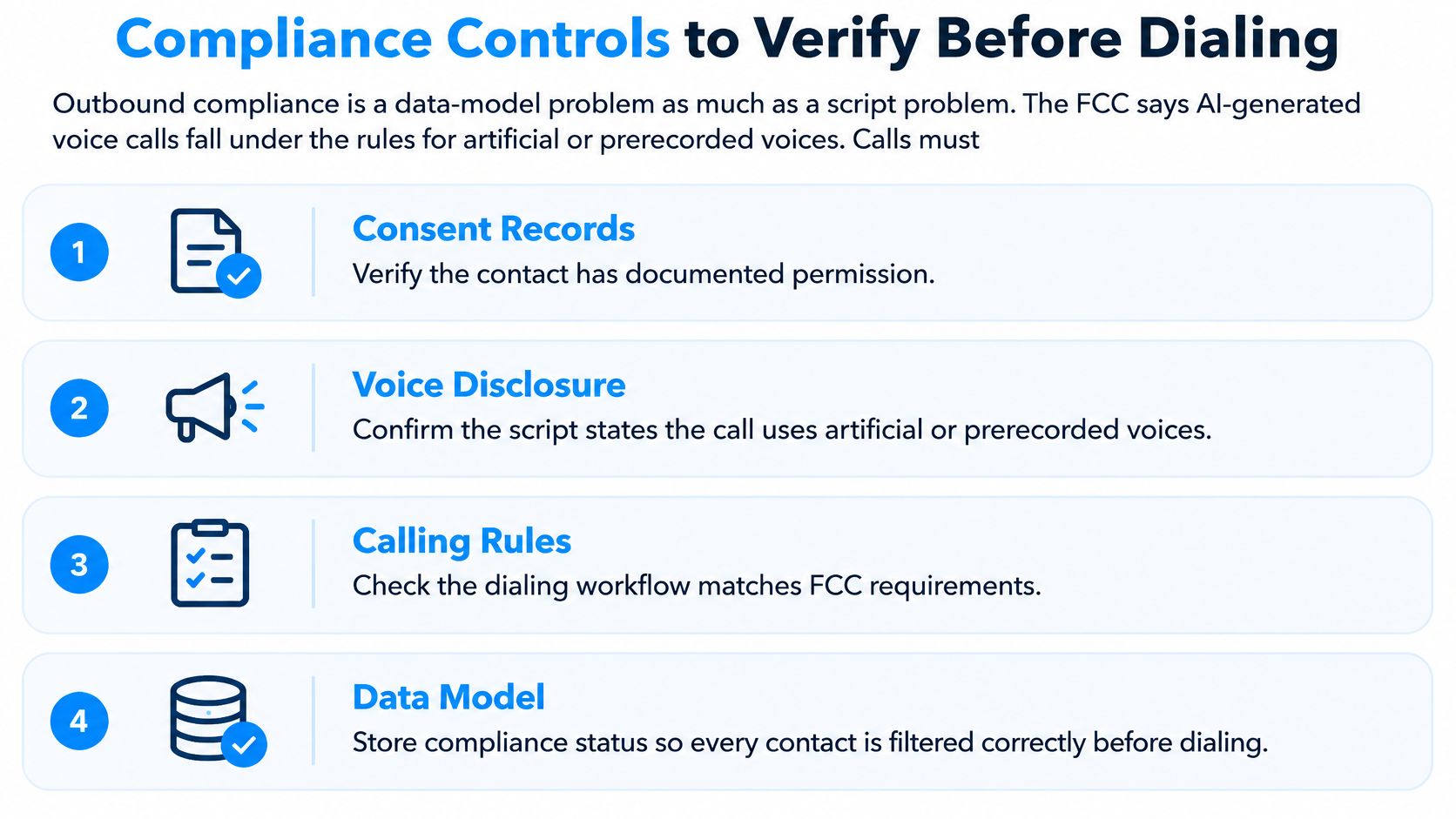
Outbound compliance is a data-model problem as much as a script problem. The script can say all the right words and still leave you exposed if the system can't show who agreed, to what, and when.
The Federal Communications Commission states that AI-generated voice calls fall within the TCPA's treatment of calls using an artificial or prerecorded voice, per the FCC's rules on robocalls and robotexts. Artificial or prerecorded voice messages must clearly identify the entity initiating the call at the beginning, a corporate caller must state its official business name, and a telephone number must be provided during or after the message. The same guidance says a called party may revoke consent at any time and in any reasonable manner, including asking not to be called again during a voice call or replying "stop" to a text.
The records to demand in a demo
- Consent source and timestamp. Which form, page, call or import produced this permission, and exactly when.
- Consent language version. The wording the person saw, because "they ticked a box" stops being a defence when the box's wording has changed twice since.
- Purpose and seller identity. Consent for appointment reminders is not consent for a promotional offer, and the seller named in the consent has to match the one on the call.
- Suppression status and history. Every do-not-call request, with the date and the channel it arrived on.
- Call attempts and local time. How many times you've tried, and the local time of each attempt.
- Caller ID used and the exact opt-out event. The number the customer saw, and what they said or pressed when they opted out.
Run this before you sign anything. Revoke consent during a test call, then confirm the contact is suppressed from the next campaign and from texts, not just from the current conversation.
Reminders and marketing are not the same campaign. A clinic confirming a booked appointment is doing something structurally different from a win-back offer, and treating both under one consent record is how businesses end up calling people who only ever agreed to be reminded. Our agent says at the start of every outbound call that it's an AI, and every call ends with a recorded outcome, so you can see who said yes and who to leave alone.
Disclosure and recording notices are set by you in the dashboard, and the responsibility for getting them right for your jurisdiction stays with your business. For deployments outside the United States, write down the local calling-hours and consent rules for each country before the first campaign, because the checks above are US-specific. If you're still designing the workflow, automated outbound calls covers the sequencing. The voice agent deployment framework from MakeAutomation is a useful second opinion on launch discipline.
Reporting Metrics and Benchmarks That Matter
One conversion rate hides where a campaign fails. Read the numbers in sequence: delivered calls and contact rate first, then conversion, then abandonment and follow-up completion. Here are the published bands to compare against.
| Metric | Below average | Average | Good | Excellent |
|---|---|---|---|---|
| Contact rate | below 7% | 7-11% | 11-16% | above 16% |
| Lead conversion | below 3% | 3-5% | 5-8% | above 8% |
| Outbound abandonment | above 5% | 3-5% | 1-3% | below 1% |
The bands come from a published contact center benchmark framework, which treats a contact rate below 7% and a lead conversion rate below 3% as below average, and a contact rate above 16% or conversion above 8% as excellent. Abandonment above 5% is below average and below 1% is excellent; the middle two bands in that row sit between the published outer limits. These are comparative operating bands, not guarantees.
Analysis is no longer the bottleneck that it was. A 2026 analysis of contact center AI adoption found 78% of contact centers used some form of AI or automation to analyze customer interactions, with only about one in five yet to adopt it for that purpose. The practical consequence for outbound work is that a call now produces a transcript, a classification and a next task, which is what makes pattern diagnosis possible at all.
Diagnosis by pattern
- High dial count, weak contact rate. Suspect list quality, caller ID reputation, calling time or consent coverage. Check what proportion of the list was blocked before dialing, then look at answer rate by caller ID rather than overall.
- High contact rate, weak conversion. Suspect the script, the offer or gaps in the knowledge base. Pull twenty transcripts of connected calls that ended in no and read them in one sitting.
- High abandonment with healthy contact rate. Suspect pacing or staffing, not the list. Abandoned calls still cost you goodwill even when nobody answers.
Two more habits separate teams that improve from teams that plateau. Record every outcome automatically, because a campaign judged on dials alone will always look healthy. And segment results by country, industry, list source, consent status and campaign purpose before drawing conclusions, so a weak number gets compared with the right peer group instead of the whole book. Our campaigns call the list for reminders, follow-ups and win-backs, make the offer, answer questions and record how each call ended, which is the raw material for all of this.
What Outbound Calling Actually Costs
Do the arithmetic before you compare plans, because the arithmetic is where prepaid and subscription models diverge. Dial Milo bills prepaid and usage-based rather than in tiers: AI processing and telephone costs are charged separately, and each call's charge is visible in the dashboard. The figure worth calculating for your own list is cost per recorded outcome, not cost per dial.
| Cost item | How it's charged | What it covers |
|---|---|---|
| Talk time | per connected call | AI processing plus telephone time, itemized per call |
| Unanswered outbound calls | free | includes voicemails, busy signals and silent disconnects |
| Phone number | monthly rental | a new US local number, or an existing business line forwarded in |
| Text messages | per message | confirmations and follow-ups |
| Prepaid balance | loaded before dialing | does not expire |
Work one example against your own list
Take 2,000 dormant contacts and assume a 15% connect rate with a three-minute average conversation. Those two assumptions are placeholders; your own list supplies the actual inputs. The mechanics stay the same: 300 connected calls, 900 minutes of talk time and, at one confirmation text per connected call, 300 messages. Multiply the minutes by the per-minute rate on the pricing page, add the message charge and one month of number rental, and you have the true cost of a first campaign before a single dial goes out.
The line price follows the number the call is made from: the campaign's caller ID, or your account number if the campaign has no caller ID. Rate lookups cover calls made from numbers in the United States, United Kingdom, Canada, Australia, Germany and the Netherlands.
Budget rule: start with a test list of a few hundred contacts, not the whole database. Balances don't expire, so a small test buys you the connect rate and conversation length to feed the formula above before you commit the full list.
Prepaid billing also changes what cost means. A minute-bundle plan charges for an allowance whether the calls happen or not; here you pay for connected talk time, and every call ends with a recorded outcome the business can audit. AI disclosure, recording disclosure and opt-out handling are configured through toggles in the dashboard, and all accounts receive the same features, including unlimited concurrent calls, so the evidence trail never sits behind a higher tier. The full components are on Dial Milo pricing. If you're calling dormant players, the free Player reactivation ROI calculator works out what the calls return for AI calls and for a human call centre.
Use Cases from Reminders to Win-Backs
A dental practice books the appointment, sends a confirmation text, then schedules a second reminder two to three days before the visit. That sequence isn't decoration. A randomized quality-improvement study at Kaiser Permanente Washington, published in a study on appointment reminders, tested it among patients at high risk of missing primary-care or mental-health visits. Adding a second reminder reduced the chance of a no-show for primary-care visits by 7% relative to a single reminder (risk ratio 0.93, 95% confidence interval 0.89 to 0.96), and cut same-day cancellations by 6% (risk ratio 0.94, confidence interval 0.90 to 0.98). The metric to watch is attendance, recorded per appointment, not calls placed.
A salon or a trades business has a different problem: the phone rings while everyone is elbow-deep in work. Automated reception answers, captures the job, books it into the calendar and texts a confirmation, and transfers to the owner when the caller needs a person. Watch booking conversion and transfer rate. An auto repair shop tracking the same numbers will see the same pattern: the value sits in the bookings kept, not the calls answered.
Where outbound earns its keep
Real estate lead follow-up is a qualification exercise. A campaign calls new enquiries within minutes, asks the qualifying questions, books a viewing and transfers anyone ready to talk to an agent. Watch the lead handoff rate, and read the transfers that went wrong.
Casino and sportsbook reactivation only works on contacts who agreed to hear from it, which is why consent records matter more here than anywhere else. Lapsed-player win-backs run into a list the operator can defend, with suppression applied across calls and texts. A win-back campaign guide for venues bringing lapsed guests back is worth reading before you write the script. Watch reactivation rate and opt-out rate together, because a high opt-out rate means the list or the offer was wrong.
Retail and e-commerce teams get more from short post-purchase surveys than from discount blasts, and insurance teams get more from renewal reminders placed three weeks out than from last-day calls. Survey completion and renewal rate are the metrics; everything else is noise.
One thing ties these together. Trust decides whether anyone picks up. Recent survey evidence found 76% of Americans preferred engaging with businesses using branded calling, while 73% reported concern about AI-generated deepfake robocalls that imitate a loved one, according to research on consumer trust in branded calls. A clear business name at the start, an honest disclosure and a fast route to a human do more for your answer rate than another thousand dials.
Choose a Platform and Run a Small Test First
The decision rules are shorter than the vendor lists suggest. If most of your calls need a trained agent working a queue and handling negotiation, buy a dialer suite or staff an in-house team. If the work is reminders, win-backs, follow-ups and surveys against lists of contacts who agreed to hear from you, an AI voice campaign platform is the cheaper and more consistent option. If every call needs a person, pay for a live answering service and accept that it scales with headcount.
Judge each option on the evidence it keeps, not the demo it shows. For every contact, the platform should record consent status, AI disclosure, how the call ended and any opt-out, because that record is your defence when a complaint arrives months later. One Dial Milo account covers both inbound receptionist calls and outbound campaign calls, with no separate products or tiers, which matters if you don't want to buy two systems and reconcile them later.
Then run one small test, and only one. Pick a single campaign with a clear purpose, such as appointment reminders to a list where you hold recorded consent for exactly that. Set a spend cap below what the full list would cost. Prepaid, usage-based billing helps here, and unanswered calls are not charged, so a capped test stays capped. Confirm the caller ID country and the local-time window before the first dial. If the platform supports script testing, split two versions and compare them on contact rate and outcome, not on style.
After the first week, look at three numbers: contact rate against the benchmark bands, opt-out rate, and transfer or escalation volume. If opt-outs spike, stop the campaign and fix the list or the consent records before you touch the script, because a script problem produces objections while a list problem produces complaints.
Stop condition: any opt-out rate that rises week over week means the list, not the wording, is wrong. Pause, audit where those contacts came from, and only then restart.
When you're ready, sign up for Dial Milo and run a small campaign before committing to anything larger. Outbound calls disclose the AI at the start, honour opt-outs, go out in each contact's local time and record an outcome for every contact, so you can see who said yes and who to leave alone. Visit Dial Milo to see how it handles your calls.
Keep reading
Finance Answering Service: Automation Limits and Privacy
Finance answering service guide: which calls AI can handle, how to protect caller privacy, capture accurate messages and hand over calls safely.
Read
Customer Feedback Phone Calls That Get Honest Answers
Learn how to plan customer feedback phone calls, ask better questions, and turn each outcome into a clear follow-up.
Read
Answering Services for Funeral Homes: What They Cost and Do
Compare answering services for funeral homes by cost, after-hours coverage and urgent-call routing, and learn the price and consent rules to follow.
Read